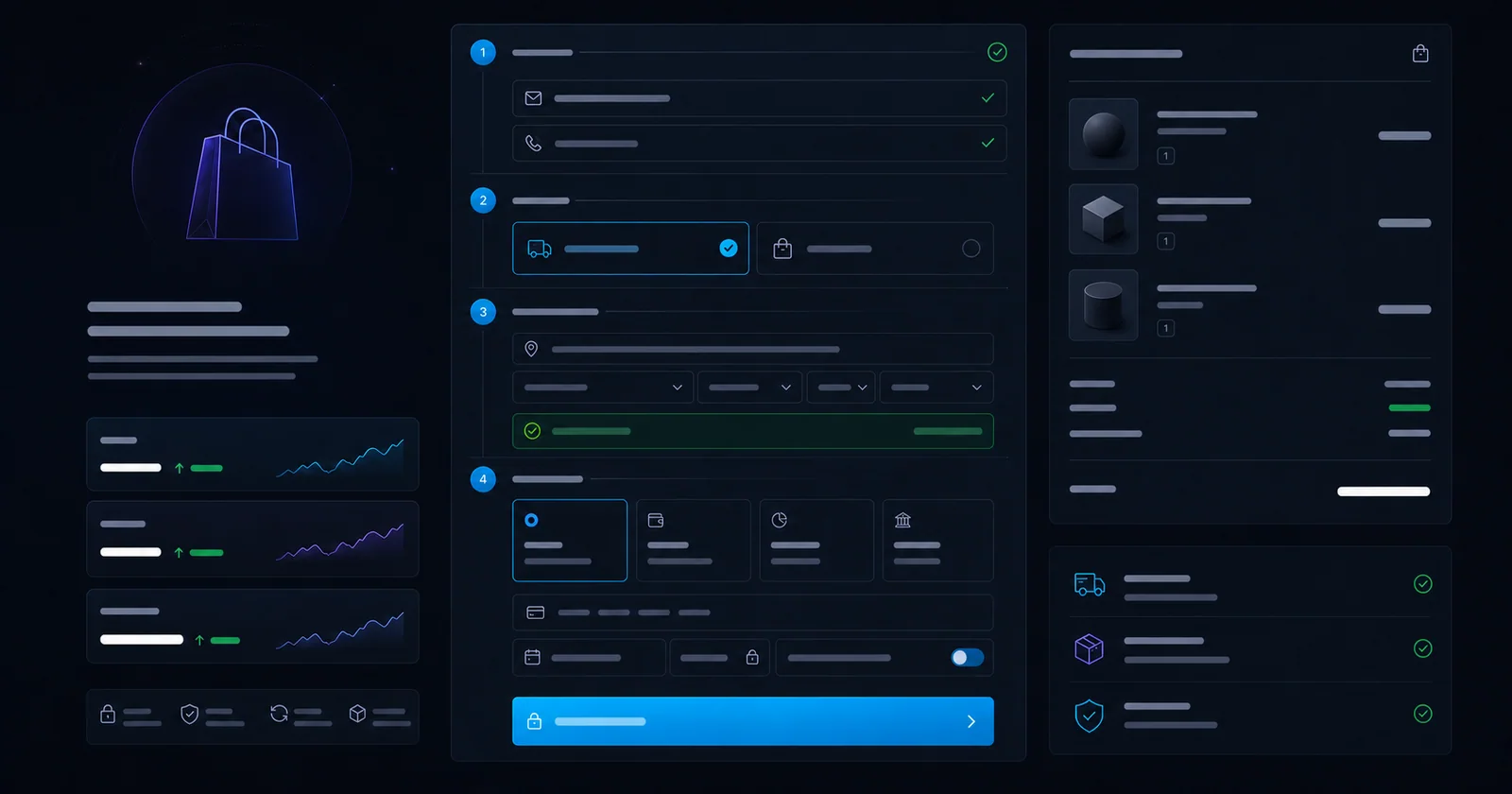
The best Shopify checkout apps solve a specific, measured source of friction without adding unnecessary steps or storefront weight. After comparing 10 options, Shopify Checkout Blocks is the strongest native foundation, AfterSell leads focused post-purchase upsells, Rebuy suits advanced personalization, qikify supports broader Shopify Plus customization, and Littledata strengthens checkout measurement.
Checkout is where product interest becomes revenue. A confusing delivery promise, missing wallet, invalid address, slow recommendation, or unexpected fee can erase earlier marketing gains. Yet “optimization” often means installing widgets and changing fields without a baseline.
This guide evaluates apps by checkout function. We checked conversion utility, implementation, Checkout Extensibility, performance, pricing, support, automation, reputation, and scale using official sources on July 18, 2026. Confirm current pricing and test a duplicate checkout configuration before publishing.
Short answer: Fix payment, shipping, mobile, and error friction before adding an upsell. Use one primary tool per checkout decision point, preserve accelerated checkout, and judge success by incremental contribution profit—not vendor-attributed revenue alone.
Understanding Shopify Checkout
Checkout conversion rate is completed orders divided by shoppers who reached checkout. Define the denominator consistently; a checkout session differs from an added-to-cart session. Cart abandonment describes carts or checkouts that never become orders.
Checkout Extensibility combines the checkout editor, UI extensions, Shopify Functions, branding APIs, and app extensions. Checkout UI extensions place governed components at defined locations. Information, shipping, and payment-step extensions require Shopify Plus; thank-you and order-status extensions are more widely available. Shopify documents the plan boundaries.
Shopify Functions run backend logic within Shopify for discounts, delivery or payment rules, validation, and related use cases. Stores on any plan can use qualifying public Function apps; custom Function apps require Plus. A payment rule might hide cash on delivery for a high-risk order without relying on storefront JavaScript.
Express checkout uses saved details through options such as Shop Pay, Apple Pay, Google Pay, Amazon Pay, or PayPal. Guest checkout lets a customer buy without maintaining an account. Never remove a fast payment path to force email capture or an upsell.
Trust signals answer immediate questions about payment security, delivery, returns, and guarantees. Use specific, verifiable statements—not a wall of generic badges. Payment methods should match customer country, device, order value, and product type. More is not always better; relevant local and accelerated methods are better than an unstructured list.
Shopify's one-page checkout collects contact, delivery, and payment information together; three-page checkout separates the flow. Both support the same customizations. Test mobile completion and error recovery instead of assuming fewer pages win.
How We Selected These Apps
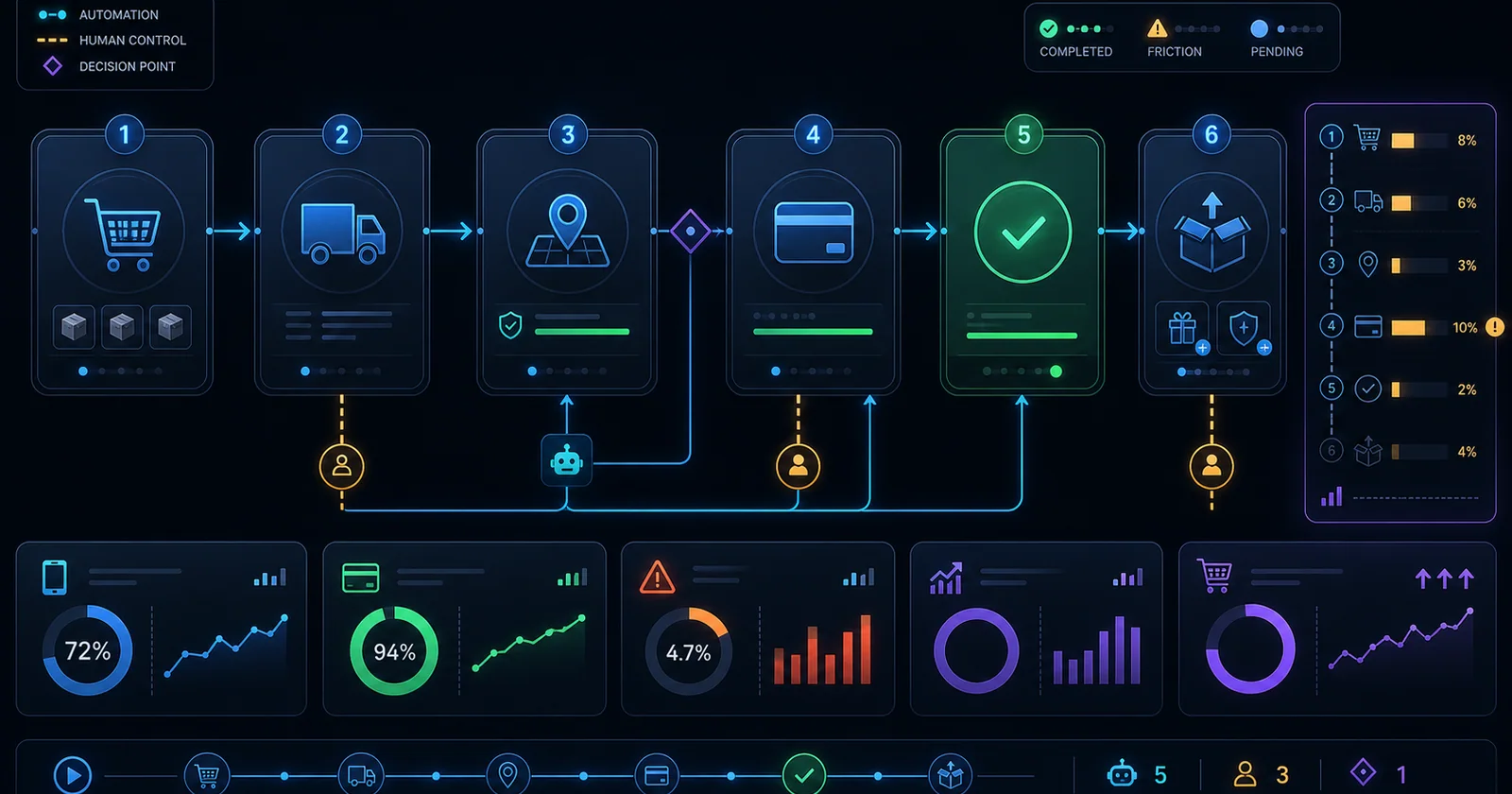
- Conversion impact: Does it remove friction, improve confidence, prevent errors, or create a relevant AOV opportunity?
- Implementation: Supported blocks, UI extensions, and Functions scored well.
- Compatibility: Plus, Markets, accelerated checkout, subscriptions, segments, volume, and rollback matter.
- Performance: We assessed requests, layout weight, scripts, tracking, and reliability.
- Commercial fit: Pricing, usage tiers, support, automation, reviews, testing, and ownership were evaluated.
The shortlist covers distinct jobs with enough official information for a practical buying decision.
Quick Comparison: Best Shopify Checkout Apps
| App | Best for | Free plan | Starting price* | Checkout upsells | Extensibility | Plus support | Automation | Ideal size |
|---|---|---|---|---|---|---|---|---|
| AfterSell | Post-purchase upsells | Dev only | $34.99/mo | Plus | Yes | Yes | AI/rules | Growing–enterprise |
| Rebuy | Journey personalization | Limited | $25/mo | Plus | Yes | Yes | AI/flows | Growing–enterprise |
| Shopify Checkout Blocks | Native customization | Yes | Free | No | Native | Yes | Functions/rules | Any–enterprise |
| Qikify Checkout Customizer | Plus checkout builder | Yes | $99/mo premium | Yes | Yes | Yes | Rules/AI | Growing–enterprise |
| Iconito | Trust badges and icons | Yes | $4.99/mo paid | No | App blocks | Yes | Display rules | Startup–mid-market |
| Payfy | Payment-method rules | Dev only | $3.99/mo | No | Functions | Yes | Conditional rules | Startup–enterprise |
| Address Validation Ninja | Address rules | Dev only | $4.99/mo | No | Validation | Yes | Country rules | Any–mid-market |
| Giftship | Gifting and multi-address | Dev only | $59.99/mo | Add-ons | Yes | Yes | Tagging/rules | Growing–enterprise |
| Shipzy | Shipping-method rules | Dev only | $3.99/mo | No | Functions | Yes | Conditional rules | Startup–enterprise |
| Littledata | Server-side measurement | No | $0.35/order | No | Web/data layer | Yes | Event routing | Growing–enterprise |
*Standard USD pricing checked July 18, 2026. Taxes, usage charges, higher order tiers, implementation, and promotions are excluded. Development-store access is not a free live-store plan.
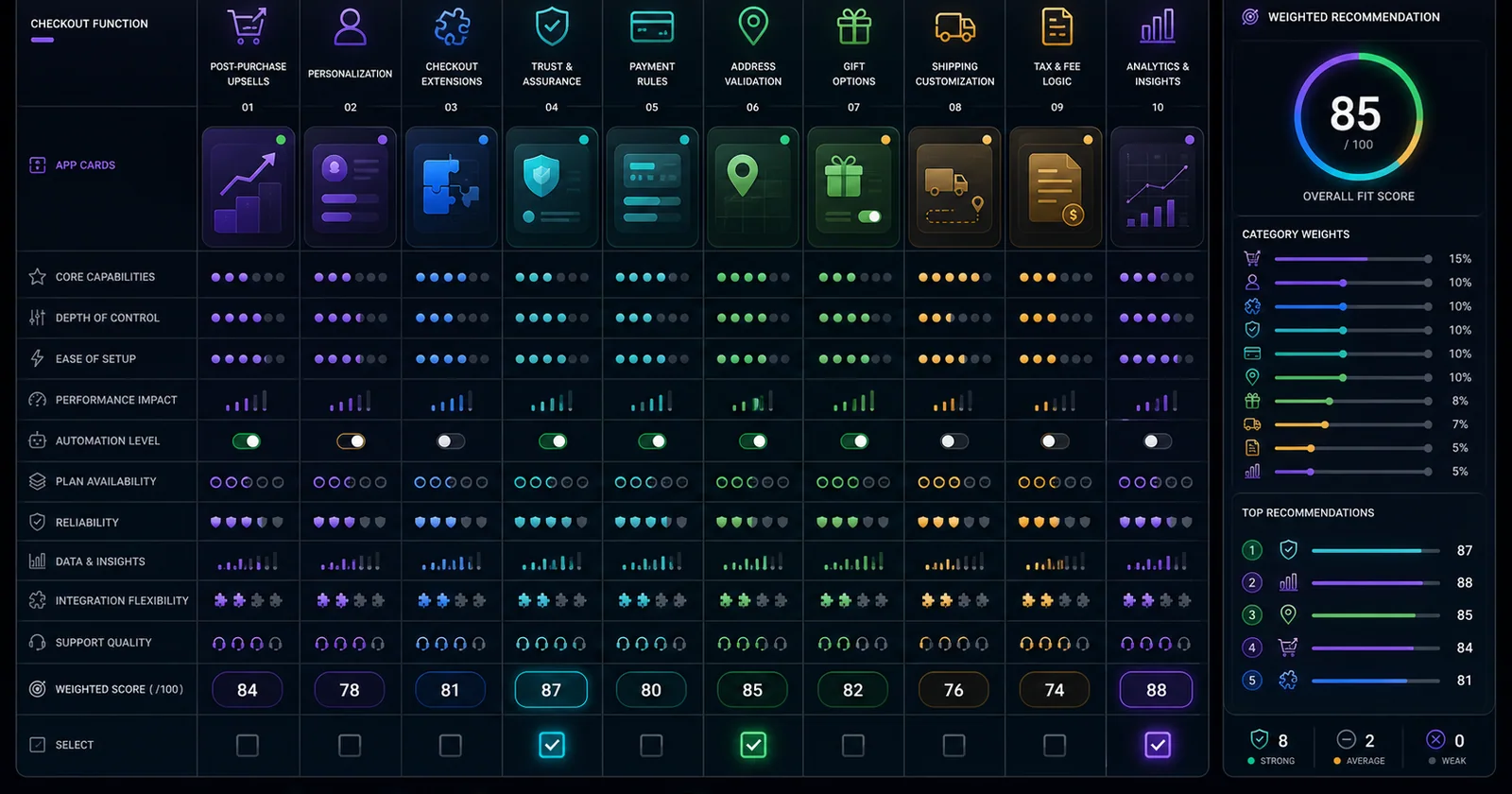
Best Shopify Checkout Apps by Function
Checkout Upsells

Checkout Upsells 01
AfterSell Post Purchase Upsell: Best focused post-purchase upsell funnel
Best for: Growing brands that want to increase AOV after payment without adding friction before order completion
AfterSell creates one-click post-purchase upsells and downsells, thank-you offers, AI-assisted funnels, targeting, analytics, and A/B tests; checkout widgets are Plus-only. Best for: growing brands seeking AOV growth after payment.
Features, pros, and cons: Mobile-optimized funnels and broad targeting are approachable, and its mature merchant reputation is reassuring. Pricing scales with total monthly store orders, however, and app-attributed revenue is not proof of incrementality.
Pricing, performance, and fit: Live pricing starts at $34.99 for 0–500 orders, $54.99 for 501–1,000, and $99.99 for 1,001–2,000. A coffee merchant could offer filters after a brewer purchase. Test payment, subscription, currency, tax, and fulfillment eligibility. Do not choose it for primarily pre-purchase personalization. Expert recommendation: test one margin-positive accessory against a holdout.

Checkout Upsells 02
Rebuy Personalization Engine: Best advanced checkout personalization platform
Best for: Established stores with catalog depth, meaningful traffic, and a team able to govern personalized merchandising
Rebuy combines AI recommendations, Smart Cart, checkout and post-purchase offers, search, collections, flows, and testing. Best for: established stores with catalog depth, traffic, and a team able to govern personalized merchandising.
Features, pros, and cons: Its journey coverage can consolidate tools, with rules and integrations supporting sophisticated programs. That breadth also increases cost, configuration, data access, and release risk.
Pricing, performance, and fit: Modules start at $25 monthly and scale with orders; development stores and Rebuy Monetize have free access. A beauty store could recommend compatible routine steps while excluding allergens and unavailable items. Test Smart Cart, recommendations, and trackers together. Do not choose it for a small catalog or no experimentation owner. Expert recommendation: buy only modules tied to an active test roadmap.
Checkout Customization

Checkout Customization 03
Shopify Checkout Blocks: Best native free checkout foundation
Best for: Merchants that want Shopify-native content, fields, validation, discounts, and delivery or payment rules before adding a broader suite
Shopify Checkout Blocks adds content, fields, order-value limits, address rules, custom discounts, and delivery or payment customizations without direct checkout code. Basic-or-higher stores can use content blocks on thank-you and order-status pages; most full-checkout capabilities require Plus.
Features, pros, and cons: It is free, Shopify-made, and Functions-powered. It lacks a full experimentation or recommendation system, and rules can become difficult to govern.
Performance and fit: Ideal from startup to enterprise as the first Plus customization tool. A furniture store could request delivery instructions and show a conditional final-sale notice. Test every login, market, accelerated checkout, and draft-order state. Do not choose it alone for complex personalization or external-system decisions. Expert recommendation: exhaust native capabilities before paying for overlapping blocks.

Checkout Customization 04
Qikify Checkout Customizer: Best all-in-one Shopify Plus checkout builder
Best for: Shopify Plus merchants that want one configurable toolkit for fields, offers, validation, payment rules, delivery rules, and styling
Qikify Checkout Customizer provides fields, widgets, offers, payment and delivery ordering, styling, validation, discounts, and B2B-aware rules through Checkout Extensibility. Best for: Plus merchants wanting one configurable checkout toolkit and support for custom requests.
Features, pros, and cons: Broad conditional blocks can replace narrow apps, and it is Built for Shopify. Full value depends on Plus; overlapping upsell, validation, and payment logic can become hard to audit.
Pricing, performance, and fit: The free plan covers supported styling, payment/delivery changes, and validation; Premium is $99 monthly for fields, offers, and extra widgets. An international seller could display a customs notice and market-specific add-on. Do not choose it for one simple Function rule. Expert recommendation: document ownership and test accelerated-checkout inclusion deliberately.
Trust and Social Proof

Trust & Social Proof 05
Iconito Trust Badges & Icons: Best lightweight trust and reassurance layer
Best for: Startups and mid-market stores that need restrained, brand-consistent reassurance rather than a full checkout suite
Iconito places customizable payment, shipping, guarantee, and service icons on product, cart, checkout, thank-you, and order-status surfaces where the plan supports them. Best for: merchants needing restrained, brand-consistent reassurance rather than a checkout suite.
Features, pros, and cons: It offers thousands of icons, device controls, styling, uploads, and scheduling with a mature review history. Generic or excessive badges can look untrustworthy, and full checkout placement is constrained by Shopify plan rules.
Pricing, performance, and fit: Free covers 5,000 page views and limited icons; paid plans start at $4.99, with checkout access listed on paid tiers. Ideal for startups to mid-market. A fashion store could show concise returns and secure-payment assurances near cart. Do not choose it to fix unclear policies or unknown delivery dates. Keep blocks visually small. Expert recommendation: use two or three evidence-backed messages and measure completion, not clicks.
Payment Optimization

Payment Optimization 06
Payfy: Hide Payment Rules: Best conditional payment-method control
Best for: Stores that need clearer payment choices by market, customer, product, cart value, or operational risk
Payfy hides, renames, reorders, or conditionally presents payment methods using Shopify payment customization. Best for: stores that need clearer payment choices by market, customer, product, cart value, or operational risk.
Features, pros, and cons: The app supports tiered conditions, tags, locations, metafields, cart attributes, and express-checkout control at a low cost. Incorrect rules can remove the only viable payment method or weaken conversion, so “cleaner” is not automatically better.
Pricing, performance, and fit: Basic is $3.99 for two rules, Advanced $5.99 for five, and Premium $9.99 for richer conditions; development stores are free. Public Functions minimize theme script impact. A B2B seller could show invoice payment only to approved customers. Suitable from startup to enterprise. Do not choose it before checking native settings and provider eligibility. Expert recommendation: maintain a fallback method and test every market and wallet.
Address Validation

Address Validation 07
Address Validation Ninja: Best flexible address validation rules
Best for: Merchants with measurable carrier corrections, failed-delivery costs, unsupported addresses, or address-related support volume
Address Validation Ninja blocks common address-format problems such as missing house numbers, PO boxes, unsupported postal codes, special characters, or malformed apartment details. Best for: merchants with measurable carrier corrections, failed delivery, or support costs.
Features, pros, and cons: It works across Shopify plans and supports country-specific and custom-regex rules. It is affordable and focused, but format validation cannot prove deliverability, and strict blockers can reject legitimate international formats.
Pricing, performance, and fit: Starter is $4.99, Germany-focused Basic $9.99, and Pro $14.99; development stores are free. Ideal for any small to mid-market shipper. A German merchant could validate DHL Packstation formats before purchase. Server-side checkout validation should be quick, but test translated error recovery. Do not choose it without quantifying address loss. Expert recommendation: warn before blocking and review rejection logs after launch.
Gift Options

Gift Options 08
Giftship: Best end-to-end gifting checkout workflow
Best for: Growing and enterprise gifting businesses that need gift options, delivery dates, multi-address shipping, and fulfillment data
Giftship combines gift notes, wrapping, date selection, digital messages, multi-address shipping, box building, upsells, order printing, and auto-tagging. Checkout option blocks require Plus, while many product and cart features work earlier in the journey. Best for: gifting-led and corporate-gifting businesses.
Features, pros, and cons: One subscription can replace several gifting tools and support complex recipient workflows. The trade-off is greater configuration, fulfillment data, and order-based cost.
Pricing, performance, and fit: Essential is $59.99 plus $0.10 per order above 500; Plus is $149.99 and Enterprise $399.99 with different usage thresholds. Ideal for growing to enterprise. A hamper brand could ship one basket to several recipients with dated messages. Test cart payload, taxes, inventory, ShipStation, and printing. Do not choose it for a basic gift-note field. Expert recommendation: map fulfillment exceptions before enabling multi-address checkout.
Shipping Rules

Shipping Rules 09
Shipzy Shipping Rules: Best delivery-method visibility and ordering control
Best for: Stores whose checkout currently exposes irrelevant, confusing, or operationally impossible shipping methods
Shipzy Shipping Rules hides, renames, and reorders shipping methods by conditions such as customer tags, products, cart attributes, postal codes, or schedule. Best for: stores whose current rate list exposes irrelevant or operationally impossible options.
Features, pros, and cons: Built for Shopify, inexpensive, and Functions-based, it can clarify delivery without replacing rate calculation. Poorly designed rules can hide valid services, and it does not solve inaccurate warehouse or carrier data.
Pricing, performance, and fit: Basic is $3.99 for two rules, Advanced $5.99 for five, and Premium $9.99 for richer conditions; testing stores are free. Suitable from startup to enterprise. A furniture seller could hide parcel rates for oversized products and prioritize scheduled delivery. Do not choose it when you need rate shopping, label generation, or WMS orchestration. Expert recommendation: create explicit default and no-rate exception paths.
Checkout Analytics

Checkout Analytics 10
Littledata: Best server-side checkout measurement layer
Best for: Growing and enterprise brands with attribution gaps, multiple markets, headless builds, subscriptions, or analytics governance needs
Littledata sends a Shopify-focused server-side data layer to GA4, advertising, lifecycle, and warehouse destinations, tracking checkout steps and upsells. Best for: growing brands with attribution gaps, multiple markets, headless builds, or analytics governance needs.
Features, pros, and cons: It improves first-party event routing, identity continuity, bot handling, and destination consistency without requiring GTM. It is not a qualitative UX tool, and better tracking does not itself improve conversion.
Pricing, performance, and fit: Flex is free to install at $0.35 per tracked order; Scale starts at $199 with 1,500 orders and lower overage; Plus is $990 for 10,000 orders and enterprise features. Ideal for growing to enterprise. A subscription brand could compare checkout steps and upsell acceptance across acquisition channels. Do not choose it when native reporting already answers the decision. Expert recommendation: establish an event dictionary and reconcile orders before trusting attribution.
Checkout App Comparison Tables
Best Free Checkout Apps
| App | Best use |
|---|---|
| Checkout Blocks | Thank-you/order-status content; full checkout on Plus |
| Iconito | Limited trust blocks |
| Qikify | Supported Plus and test-store rules |
Best Checkout Upsell Apps
| App | Best use |
|---|---|
| AfterSell | Focused post-purchase funnels |
| Rebuy | Advanced journey personalization |
Best Trust and Social Proof Apps
| App | Best use |
|---|---|
| Iconito | Lightweight icons and assurances |
| Checkout Blocks | Conditional Plus checkout content |
Best Shipping and Delivery Apps
| App | Best use |
|---|---|
| Shipzy | Delivery-method rules |
| Address Ninja | Address-format validation |
| Giftship | Gifting and multi-address workflows |
Best Shopify Plus Checkout Apps
| App | Best use |
|---|---|
| Checkout Blocks | Native first layer |
| Qikify | Broad no-code customization |
| Rebuy / AfterSell | Personalized or post-purchase offers |
Best Checkout Analytics Apps
| App | Best use |
|---|---|
| Littledata | Server-side journey measurement |
| AfterSell | Upsell-funnel experiments |
Common Checkout Mistakes
- Too many fields: Collect only information needed for payment, delivery, compliance, or a defined workflow. Ask marketing questions after purchase.
- Slow checkout: Audit apps, pixels, recommendation calls, and errors on real mobile networks. Server-side Functions are not permission to stack unlimited UI.
- Poor mobile UX: Test keyboard behavior, autofill, error focus, wallets, address formats, and long order summaries—not only desktop previews.
- Weak trust: State delivery, returns, total cost, and security plainly. Decorative badges cannot repair an unclear policy.
- Limited payments: Match local methods and wallets to actual markets. Monitor failure and completion by method before hiding anything.
- Aggressive upsells: One relevant offer is usually safer than a cascade of pop-ups, add-ons, warranties, gifts, and timers.
- Poor shipping communication: Disclose timing, cost, duties, cutoff, and restrictions before the final click. Never rename a slow service to imply speed.
- No analytics: Preserve a baseline, annotate releases, reconcile orders, and monitor completion, AOV, margin, errors, refunds, and support contacts.
Checkout Strategy by Store Type
No ethical consultant can promise a universal conversion lift. “Expected impact” below means the directional business outcome to validate through a controlled test.
| Store type | Biggest friction | Priority app categories | When Plus is worthwhile | Expected impact to test |
|---|---|---|---|---|
| Fashion & apparel | Size doubt, returns, promo confusion | Trust, payments, post-purchase care add-ons | Conditional final-sale, market, or loyalty logic | Conversion: clearer policy; AOV: low-return complements |
| Beauty & cosmetics | Compatibility, routine order, subscription choice | Personalization, trust, upsell analytics | Ingredient or customer-segment messages | Conversion: confidence; AOV: complementary routines |
| Electronics | Compatibility, warranty, address and fraud risk | Payment rules, validation, relevant add-ons | High-value risk, warranty, B2B, or delivery controls | Conversion: fewer errors; AOV: compatible accessories |
| Home & furniture | Freight cost, delivery date, oversized items | Shipping rules, validation, delivery fields | Scheduling, service zones, instructions | Conversion: fewer surprises; AOV: protected, not forced |
| Food & beverage | Cutoffs, gifting, perishability, subscriptions | Giftship, shipping rules, payment clarity | Conditional cutoff and delivery guidance | Conversion: clearer delivery; AOV: gifting options |
| Subscription | Selling-plan confusion and wallet eligibility | Analytics, post-purchase, payment communication | Customer, market, or plan-specific logic | Conversion: clearer terms; AOV: safe add-ons |
| Digital products | Unnecessary address fields, access anxiety | Payment optimization, trust, analytics | Licensing or entitlement workflows | Conversion: faster payment; AOV: relevant upgrades |
| B2B stores | PO, terms, tax, company identity, approvals | Payment/delivery rules, fields, ERP integration | Usually worthwhile for governed company checkout | Conversion: fewer repairs; AOV: contract-led |
Implement in this order: identify the largest loss; fix its policy or platform cause; test one app in a duplicate configuration; validate mobile, wallets, markets, tax, discounts, subscriptions, and failures; release gradually with a rollback owner.
Decision Framework by Business Stage
| Merchant | Recommended starting point |
|---|---|
| Startup | Native checkout + Shop Pay + Checkout Blocks thank-you content; add Iconito only for specific reassurance |
| Growing brand | AfterSell for a focused AOV test + Shipzy or Address Ninja only where loss data supports it |
| Fashion / beauty | AfterSell for curated complements; Rebuy when catalog and testing maturity justify personalization |
| Electronics | Payfy + Address Ninja; add relevant post-purchase accessories after risk and delivery are stable |
| Subscription | Littledata for journey accuracy + carefully validated AfterSell/Rebuy eligibility |
| International | Local payments + market-specific Shipzy/Payfy rules + validation proven for served countries |
| Shopify Plus | Checkout Blocks first; qikify for broader managed blocks; custom extensions for differentiated logic |
| Enterprise | Plus + governed custom architecture + server-side analytics + one primary personalization platform |
Choose the least complex stack that addresses the current bottleneck. Review it again after a new market, subscription model, warehouse, B2B channel, or material order-volume increase.
When Custom Checkout Development Is Better
Custom development earns its cost when proprietary logic is a competitive advantage or operational requirement: Shopify Functions for margin-aware discounts, delivery and payment customizations; Checkout UI Extensions for governed fields and messages; ERP inventory or promise-date checks; CRM segmentation; risk services; custom APIs; headless checkout journeys; and approval-led B2B workflows.
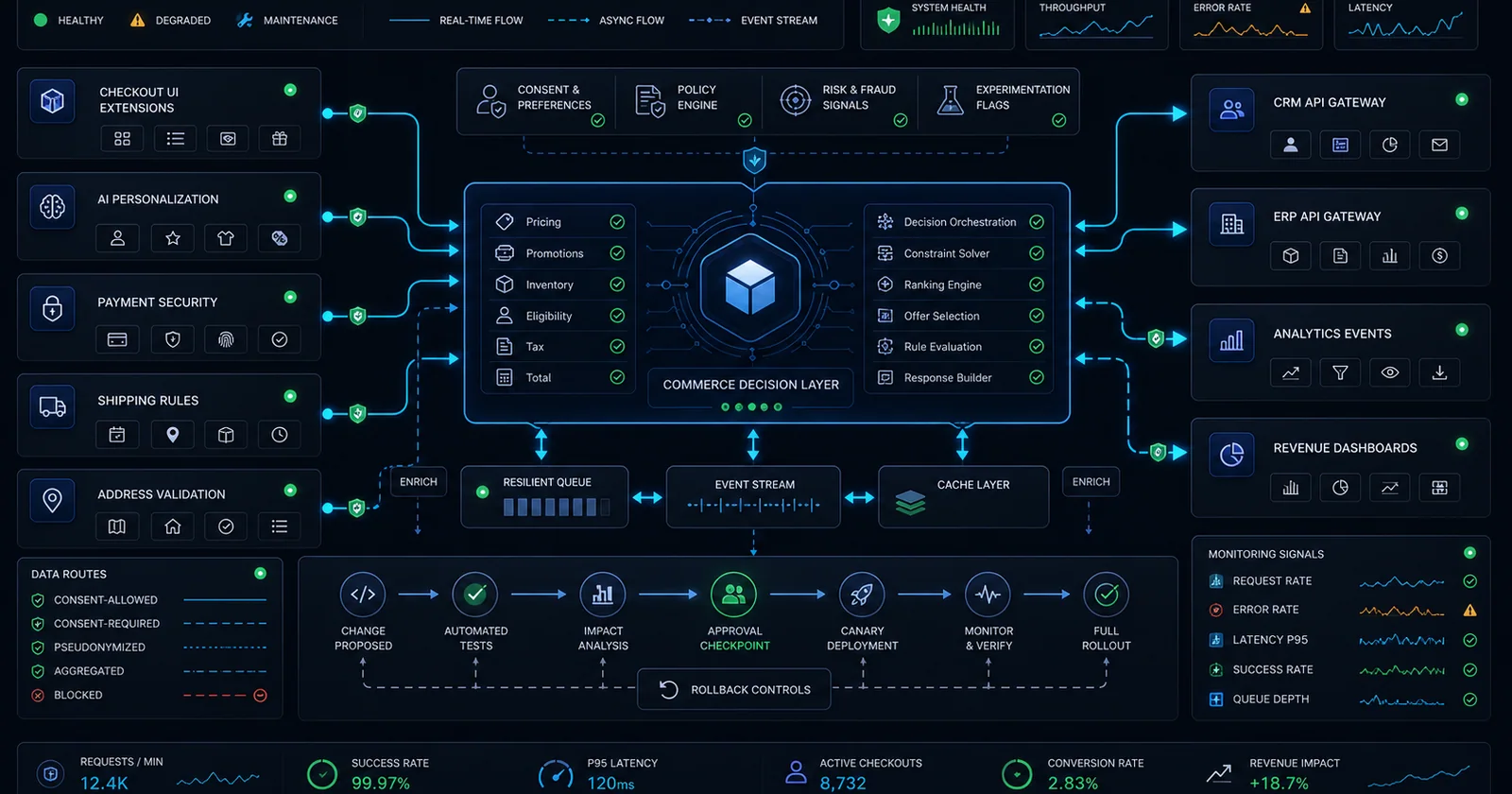
For example, an industrial supplier may need to validate a buyer's company, PO format, credit status, regulated SKU, delivery branch, and ERP availability before allowing invoice payment. Five generic rule apps can obscure ownership. One custom Function and a resilient integration may be easier to audit, test, and monitor.
Keep external calls out of time-critical paths where possible. Define timeouts, fallbacks, idempotency, observability, access controls, tests, and rollback. Extend Shopify's architecture; do not recreate checkout.
AreoTech's Shopify development team helps merchants plan Shopify Plus checkout architecture, custom app and API development, Checkout UI Extensions, Shopify Functions, ERP/CRM integrations, headless workflows, and Shopify automation. Start with evidence and a proof of concept. Review relevant ecommerce case studies or contact AreoTech to scope the smallest reliable solution.
Frequently Asked Questions
What is the best Shopify checkout app in 2026?
Checkout Blocks is the best native foundation; AfterSell the focused upsell choice. Rebuy suits advanced personalization, qikify broader Plus customization, and Littledata measurement.
Can Shopify checkout be customized without Shopify Plus?
Yes, within limits. Public Function apps, post-purchase extensions, and thank-you/order-status extensions are broadly available. UI extensions on information, shipping, and payment steps require Plus.
What is Shopify Checkout Extensibility?
It is Shopify's supported customization framework. It combines app extensions, UI extensions, Functions, branding controls, APIs, and the checkout editor instead of direct template modification.
What are Shopify Functions?
Functions customize server-side Shopify logic. They can control discounts, delivery, payments, validation, and more. Public Function apps work across plans; custom Function apps require Plus.
Do checkout upsell apps increase conversion rate?
Not inherently. They target AOV, and excessive offers can reduce completion. Evaluate incremental margin, completion, returns, and customer experience against a control.
What is the best post-purchase upsell app?
AfterSell is the strongest focused option for most growing stores. Choose Rebuy when post-purchase is part of a larger personalization and merchandising program.
Can I add trust badges to Shopify checkout?
Yes, where your plan permits the placement. Plus supports in-checkout UI extension blocks. Other plans can place reassurance on cart and supported post-purchase pages.
What is the best free Shopify checkout app?
Shopify Checkout Blocks. It is free, but most information, shipping, and payment-page features require Plus. Iconito offers a useful limited trust tier.
Should I use one-page or three-page checkout?
Use the layout that performs better for your customers. Both collect the same core data. Test mobile completion, error recovery, order complexity, and support feedback.
How can Shopify stores reduce cart abandonment?
Remove friction before adding persuasion. Clarify total cost and delivery, support wallets and local payments, reduce fields, fix errors, improve mobile UX, and recover eligible checkouts.
Can checkout apps slow down Shopify?
Yes. Extensions, pixels, API requests, and duplicated widgets can add latency or distraction. Test realistic devices and routes before and after every release.
What is best for international checkout?
A market-specific stack. Match local payments, addresses, shipping, duties, currency, and language. Payfy, Shipzy, and validation can help, but require country-by-country QA.
Do address validators prevent every failed delivery?
No. They catch patterns and defined exceptions, not every deliverability problem. Monitor false rejections and keep a manual recovery path.
How should checkout-app ROI be measured?
Measure incremental contribution profit. Include completion, AOV, margin, payment failure, shipping errors, refunds, support contacts, app charges, and implementation cost by segment.
When is custom development better than another app?
When packaged rules cannot safely represent valuable proprietary workflows. Complex ERP, CRM, risk, B2B, regulatory, approval, and multi-system logic are common triggers.
Key Takeaways and Decision Matrix
| Size / volume | Complexity | Start with | Add when evidence supports it |
|---|---|---|---|
| Small / low | Low | Native checkout + wallets + free Checkout Blocks | One trust, address, payment, or shipping tool |
| Growing / moderate | Medium | AfterSell + native analytics | Focused rules; Littledata for real tracking gaps |
| Plus / high | High | Checkout Blocks + governed configuration | qikify, Rebuy, or custom extensions—not all by default |
| Enterprise / very high | Very high | Plus + custom architecture + observability | ERP/CRM APIs, Functions, controlled personalization |
The winning checkout is fast, predictable, locally relevant, measurable, and easy to recover when an integration fails. App count is not a maturity metric.
Conclusion
The best Shopify checkout apps remove a specific obstacle or add a relevant opportunity at the right moment. Fix fundamentals first, then test one controlled change and retain it only when independent data supports the business case.
AreoTech supports Shopify checkout optimization and CRO, Shopify Plus development, Shopify Functions, Checkout UI Extensions, custom Shopify development, API and ERP integrations, performance optimization and maintenance, AI solutions, migration, and enterprise automation. Explore related guides to upsell apps, Shopify automation, and Shopify AI apps, or contact AreoTech for a checkout review.