
Useful Shopify Flow automation examples start with an operational problem: someone repeatedly checks an order, copies a detail into another system, or notices low stock too late. The workflow earns its place when it performs that task consistently and makes exceptions visible. A complicated diagram alone does not make a store more efficient.
Shopify Flow is a free app on Basic, Grow, Advanced, and Plus, according to the current Shopify Flow documentation. It is not restricted to Plus. However, individual actions can have their own requirements, and an installed app may be needed to provide a particular trigger or action.
This guide shows how to choose practical workflows, define their boundaries, and test them before relying on them. The examples are starting designs, not promises that every store will save a fixed number of hours or gain a particular amount of revenue.
Map the manual task before opening the builder
Write down what starts the task, which information a person checks, what they change, and when they ask for help. Include the exceptions. “Tag wholesale orders” sounds straightforward until the team discovers that some wholesale customers also place personal retail orders.
Estimate the current workload using a short sample of real activity. Count how often the task occurs and how long staff actually spend on it. Note mistakes or delays that matter to customers. This establishes whether automation is worthwhile and gives you a baseline for evaluating the result.
Choose one owner who can explain the business rule and approve test outcomes. A developer can wire the steps together, but only the operational team can confirm whether an order should be held, reviewed, or passed to a supplier.
Understand triggers, conditions, and actions
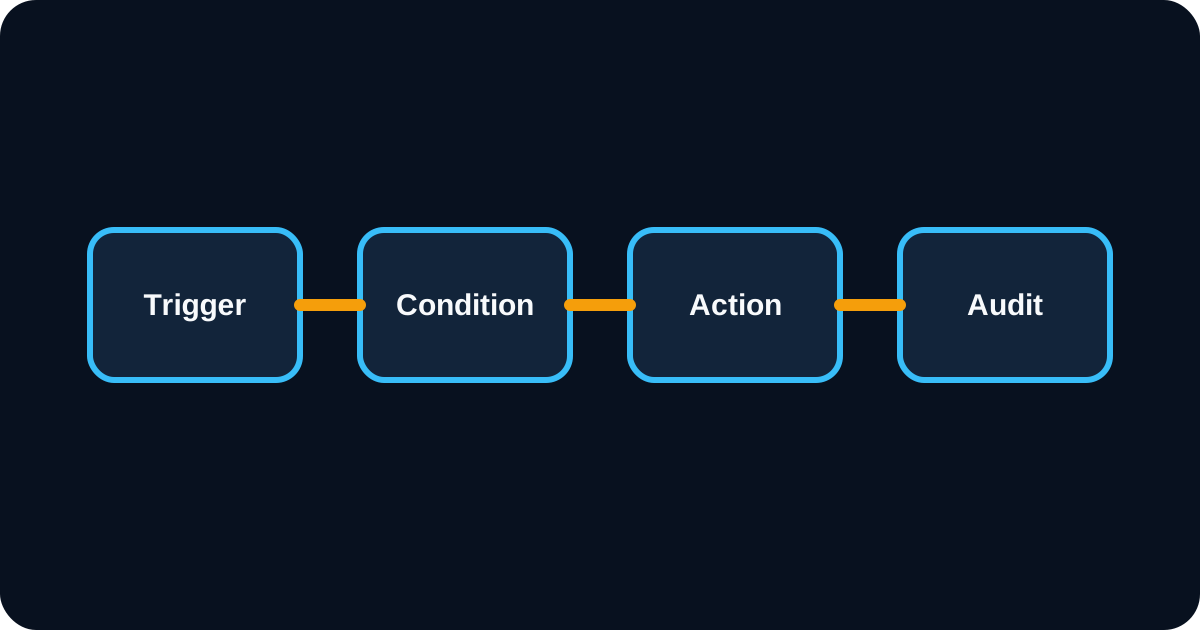
A trigger starts the workflow. Conditions decide which branch runs. Actions perform the supported changes or handoffs. A helpful design states all three in one sentence: “When this event occurs, if these facts are true, perform this action.”
Check that the trigger exposes the data your conditions require. An event occurring before payment, fulfilment, or risk analysis is complete may not contain the final information you need. Select the event that matches the business decision instead of compensating for the wrong trigger with arbitrary waiting periods.
Use Shopify's workflow management guidance when creating, organizing, activating, and reviewing workflows. Give each workflow a descriptive name, an owner, and a note explaining why it exists. Those details become valuable when another person inherits the store.
Example 1: Send a low-stock review alert
Start with an inventory-related trigger that matches the stock state you intend to monitor. Check the affected product or variant against a threshold, then notify the responsible team through a supported action. Include the SKU, relevant location, current quantity, and a link that helps the person investigate.
Use thresholds that reflect the item. A slow-moving accessory and a fast-selling consumable may need different reorder points. Keep supplier lead times and outstanding purchase orders in the decision process; low stock does not automatically mean the same replenishment quantity should be ordered again.
Prevent alert fatigue by deciding when another notification is allowed. A product hovering around its threshold should not generate a message for every tiny adjustment. Test the workflow against your inventory configuration, especially if several locations or supplier feeds contribute to availability.
Example 2: Flag orders for manual review
Create a workflow that labels qualifying orders for review and sends an internal notification. The qualifying rule might concern an unusually large quantity, a particular fulfilment constraint, or a supported risk-analysis result. Use the event and fields appropriate to that rule.
Keep the first version limited to a visible review step. Automatic cancellation, refunds, and fulfilment changes have consequences that require more careful business rules. A review tag lets the team observe whether the conditions identify the intended cases before adding stronger actions.
A tag does not itself place an order on hold or alter its fulfilment routing. If the operational requirement includes a hold, implement the relevant supported action and verify the result. Otherwise, staff may assume a labelled order is protected while the warehouse continues processing it.
Example 3: Classify customers for service
Customer tags can help staff recognize repeat customers, trade buyers, or customers requiring a particular service process. Choose a supported purchase-related trigger, evaluate the available customer information, and add the relevant classification only when the rule is satisfied.
Define how a tag is removed or refreshed. A one-time classification can become misleading when spending changes, an order is refunded, or the customer leaves a programme. If a segment is intended to describe a current condition, design its maintenance rather than treating tagging as a permanent answer.
Do not confuse classification with marketing permission. A “VIP” tag does not establish consent to receive email or text messages. If another platform uses Shopify tags, verify the integration's actual sync behaviour and apply its channel eligibility rules before sending messages.
Example 4: Notify staff about product data gaps
Use a product-related trigger to identify missing operational information, such as a vendor value or a required metafield. Route incomplete products to a review queue with a clear description of what is missing. This can make catalogue maintenance more consistent as several people add new products.
Agree on which fields are genuinely required. A barcode might be essential for one warehouse and irrelevant for a made-to-order item. Hard-coded blanket rules can create a queue full of harmless exceptions and obscure the records that actually block fulfilment.
Test products created manually, imported in bulk, and edited by an app. If the workflow runs before an import finishes populating related fields, it may flag incomplete intermediate data. Adapt the trigger or process so the review happens at a meaningful stage.
Example 5: Coordinate a supplier handoff
A qualifying order can initiate an operational handoff through a supported connector or an external endpoint. Before automating that handoff, agree on the fields the supplier needs, how acceptance is returned, and how staff see rejected or delayed requests.
Do not assume an order tag sends the order anywhere. A supplier app may interpret a tag, but that behaviour must be explicitly configured and tested. Similarly, a successful notification is not proof that the supplier accepted fulfilment responsibility.
Where direct HTTP integration is appropriate, Shopify documents Send HTTP request as available on Grow, Advanced, and Plus. Review its response handling and secret storage. For complex stock ownership or reservations, use the supplier inventory API guide to define the surrounding system.
Example 6: Escalate a stalled operational process
Some workflows need a scheduled check rather than a response to a single event. A scheduled design can retrieve a relevant set of records and identify items awaiting a defined next step. Examples include orders awaiting supplier acknowledgement or products still sitting in an internal review state.
Define the clock carefully. “Two days old” could mean two calendar days, two business days, or forty-eight hours after payment. Holidays, weekends, and supplier operating hours can change the correct interpretation. Do not promise customer-facing delivery dates based on a simplistic internal timer.
Include an escalation destination and the information needed to act. A daily message that says “some orders are delayed” quickly becomes background noise. A short queue with record links, elapsed time, and assigned ownership is more useful.
Add safeguards against loops and repeated actions
An action can change the same object that triggers another workflow. Two individually reasonable workflows may therefore keep triggering each other. Review related automations together, including third-party apps that react to the same tags or metafields.
Use a clear marker or business condition to avoid repeating work that has already been completed. For an external request, the receiving service should recognize the same logical operation if it arrives again. Retrying a failed connection must not create duplicate supplier orders.
Keep failure handling visible. A workflow that silently ignores an error may look successful while leaving the business task unfinished. Decide which failures should retry, which should stop immediately, and which need human review. Document those decisions alongside the normal path.
Test workflows with representative records
Prepare a small test matrix covering an ordinary matching record, a nonmatching record, missing data, a repeated trigger, and a downstream failure. Confirm both what changes and what must remain unchanged. Use controlled test data and avoid sending real customer messages during setup.
Inspect the workflow run history and verify the final state in the destination system. A completed action in the builder is one piece of evidence; an accepted supplier request or correct order status is the operational outcome you need.
Roll out gradually. Start with internal notifications or a narrow product group, review results with the owner, and expand once the rule behaves as intended. Retain a simple way to deactivate the workflow and a documented manual process for essential tasks.
Measure useful outcomes after launch
Compare the manual workload before and after the workflow begins operating. Count exceptions that still require attention and time spent maintaining the automation. Gross task time removed is less useful than the actual net change in the team's workload.
Monitor customer-facing consequences where relevant: orders delayed by false flags, supplier requests awaiting acceptance, or missed replenishment reviews. A workflow can run successfully while applying a poor business rule. Review the outcome with the people doing the work.
Keep promotional messaging in the platform designed to manage consent, eligibility, content, and attribution. For recovery messages, our Shopify email marketing app guide covers the required distinctions between events and recipients. Flow can coordinate operations without becoming the owner of every customer communication.
Maintain an automation register
Create a short register listing each workflow, its owner, trigger, dependent apps, expected frequency, and last review date. Add links to the run history and recovery instructions. Review the register after changing a supplier, uninstalling an app, or altering order processing.
Retire workflows that no longer have a business purpose. Unused automations are difficult to recognize when their names describe only technical actions, which is another reason to name them after the task they serve.
If several workflows interact or require custom connectors, AreoTech's Shopify automation service can turn the operating rules into a maintainable implementation. Bring examples of the manual work and its exceptions; those details are more valuable than a long wish list of triggers.
Frequently asked questions
Is Shopify Flow available without Shopify Plus?
Yes. Shopify Flow is a free app available on Basic, Grow, Advanced, and Plus. Individual actions can have separate plan requirements; Send HTTP request requires Grow, Advanced, or Plus. Check the requirements of the specific workflow before selecting a store plan.
Does adding an order tag change fulfilment routing?
Not by itself. A tag labels the order. Routing or fulfilment changes require an appropriate supported action or an integration explicitly configured to interpret that tag. Test the final fulfilment state rather than assuming the label caused an operational change.
Which Shopify Flow automation should a store build first?
Start with a frequent, clearly defined, low-risk task such as an internal alert or review tag. Measure its manual workload, test normal and exception cases, and assign an owner before expanding. A small reliable workflow gives the team a useful foundation for more complex automation.