
A supplier says an item is available, Shopify accepts an order, and the warehouse later reports that the last unit has already sold. A Shopify supplier inventory sync API integration should reduce that gap. Simply copying a quantity from one system to another is not enough: the integration must understand which stock the number represents, how recent it is, and what happens while orders are arriving.
The practical goal is a dependable promise to the customer. That means selling only the inventory your operation can fulfil, detecting stale supplier feeds, and giving staff a clear way to resolve exceptions. This guide explains the decisions a merchant should make before development, the architecture a developer should implement, and the evidence needed before enabling automatic updates.
Decide which system owns each stock quantity
Start by documenting the source of truth for every location. A supplier may own a dropshipping warehouse quantity, while your team owns stock in a Canadian fulfilment centre. Those quantities can appear together in Shopify, but they should not be controlled by the same import rule.
Ask whether the supplier reports physical stock, available stock, or a projected quantity that includes incoming shipments. Ask when paid orders become reservations and whether orders from other retailers are already deducted. A feed showing fifty physical units can still represent zero units available to your store if all fifty are allocated elsewhere.
Write this agreement in plain language. For example: “Supplier available quantity controls the supplier location after our safety buffer; our warehouse system controls the Toronto location.” This simple statement prevents two integrations from continually overwriting each other.
Audit the supplier feed before choosing an app
Request a sample response and documentation covering authentication, update frequency, pagination, rate limits, timestamps, and error behaviour. Identify whether the API exposes changes since a cursor or requires a full catalogue download. A daily file delivered through an API remains a daily feed; the transport does not make it real time.
Check inactive items, discontinued products, missing identifiers, and quantities represented as text. Clarify whether an omitted item means unchanged stock, unavailable stock, or a broken response. Treating absence as zero can remove an entire catalogue from sale after an incomplete download.
If an existing connector supports the supplier and your location model, trial it first. Our Shopify inventory app guide can help frame that evaluation. Commission custom integration work when the business rules or supplier format justify the ongoing ownership.
Create an explicit product mapping table
An inventory integration should connect the supplier item identifier to the Shopify variant, inventory item, and location. A SKU can help establish that relationship, but it should not be your only permanent identifier. Merchants change SKUs, suppliers reuse codes, and different variants sometimes share an accidental duplicate.
Record the unit conversion alongside the mapping. If a supplier sells cartons containing twelve units and Shopify sells individual units, a quantity of ten cartons does not mean ten products. Also record whether a component is shared across bundles, because its stock must support every offer that consumes it.
Put ambiguous matches into a review queue. Never silently choose the first matching product title. Before launch, ask someone who knows the catalogue to review the mappings for bestsellers, low-stock products, multipacks, and recently renamed variants.
Separate ingestion from inventory updates
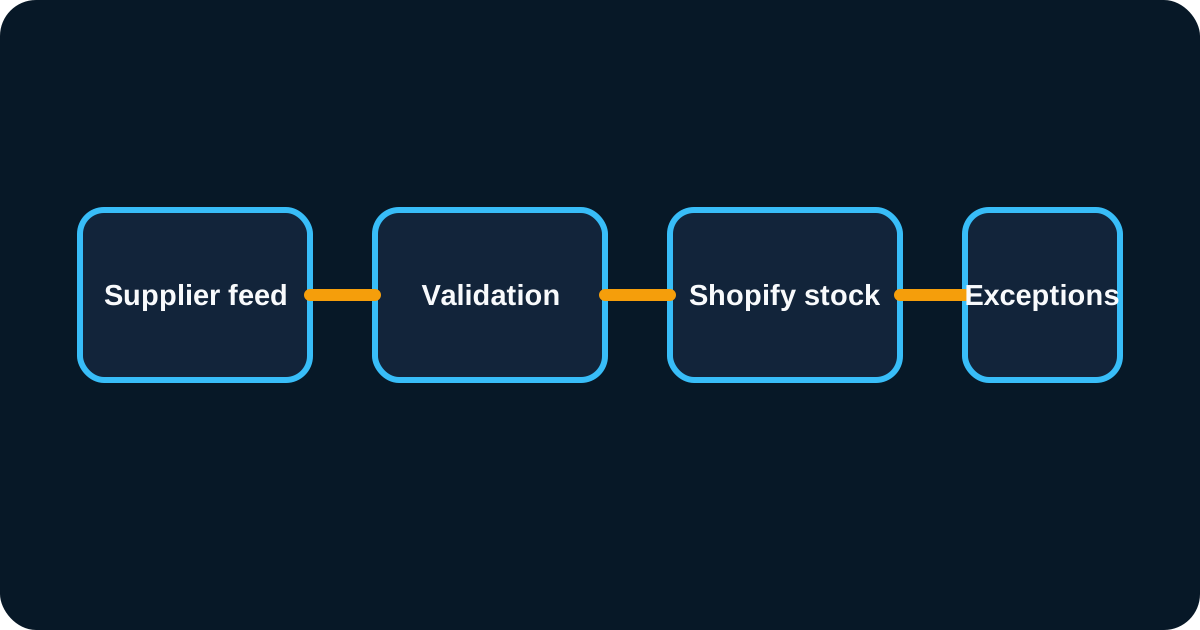
Use a staged workflow: receive the feed, validate it, map the records, calculate sellable quantities, and then write approved changes. Store enough processing history to explain why a quantity changed without retaining unnecessary supplier or customer data.
Validation should reject negative quantities when they are not meaningful, unknown units, malformed identifiers, and timestamps outside your freshness rules. Compare unusually large changes against a threshold for manual review. An unexpected jump from eight units to eighty thousand could be genuine, but it deserves attention before publication.
Keeping these stages separate also makes failures easier to isolate. If authentication fails, the mapping rules should not run against an empty response. If one product is invalid, the remaining validated records should not automatically be discarded unless the feed requires an all-or-nothing operation.
Choose the right inventory update method
Shopify distinguishes setting an absolute quantity from applying a change. Its inventorySetQuantities documentation says absolute updates are intended for a system acting as the inventory source of truth and describes concurrency checks. Use the schema for the API version you actually deploy; do not copy an old example without reviewing current arguments and idempotency requirements.
For a recorded movement, such as receiving additional stock, review inventoryAdjustQuantities. A movement and a snapshot solve different problems. Applying the same movement twice doubles its effect; replacing stock with an old snapshot can undo a legitimate sale.
Your developer should explain the chosen mutation, inventory state, conflict handling, and recovery behaviour in the implementation notes. A successful HTTP response alone does not prove success: inspect GraphQL errors and mutation user errors before marking a record complete.
Protect orders arriving during synchronization
Imagine a supplier snapshot reports twenty units. Before your integration writes it, two Shopify orders reserve stock. If the snapshot does not include those orders, publishing twenty again may make already committed units available for sale.
Solve that race through an explicit reservation model, not a faster timer. Depending on the supplier contract, you may need to subtract local unacknowledged orders, wait for supplier acceptance, or keep supplier availability separate from local warehouse inventory. Document when a reservation is created, confirmed, released, and expired.
Use a conservative safety buffer where appropriate. The buffer should reflect feed delay, supplier reliability, and sales velocity. It is an operational choice, not a guarantee against overselling. Review it using real stock exceptions instead of applying the same percentage to every product indefinitely.
Design retries that cannot repeat a stock movement
Network timeouts leave an awkward question: did Shopify accept the update before the connection failed? Retrying without a stable operation identity can apply a movement twice. Give each intended update a durable identity and retain its processing status so retries represent the same operation.
When receiving Shopify webhooks, follow the official webhook verification guidance, including authenticity checks and duplicate delivery handling. Queue accepted work so a slow supplier does not keep the incoming request open. Do not assume delivery order matches the order of business events.
Use bounded retries with increasing delays for temporary failures. Send persistent failures to a visible exception queue with the item, location, last successful update, and recommended action. Repeatedly retrying invalid credentials every second adds noise without restoring service.
Reconcile even when webhooks are enabled
Webhooks can make stock changes arrive quickly, but a periodic reconciliation process checks whether the two systems still agree. Compare mapped inventory against a fresh supplier snapshot, then classify differences before correcting them.
A discrepancy might come from a missing mapping, an order awaiting supplier acknowledgement, an intentional manual adjustment, or a stale feed. If reconciliation treats every difference as permission to overwrite Shopify, it can recreate the original problem. The comparison must use the same ownership and reservation rules as normal synchronization.
Choose an operating schedule that matches your business. High-volume stock may need frequent review, while a slowly changing catalogue may tolerate longer intervals. Maintain a separate alert for “no successful sync” because a process that stops quietly will not necessarily generate a failed item record.
Test the difficult cases before the happy path scales
Begin with a small product group and a non-selling test location where practical. Confirm a simple quantity update, then test concurrent orders, empty responses, duplicate events, supplier outages, expired credentials, SKU changes, and products removed from the feed.
Include cancellation and return scenarios. A refund does not always mean an item returned to sellable stock, and a cancelled order may already be accepted by the supplier. Someone from operations should verify the intended outcome for each scenario.
Capture the expected and actual quantities at both ends. Keep a rollback plan that disables automated writes and restores a documented operational process. Reverting every SKU to an old export can itself corrupt current stock, so recovery should account for orders placed since that export.
Monitor business outcomes as well as job status
An integration dashboard should show feed age, successful updates, rejected records, unresolved mapping issues, and discrepancies awaiting review. Add operational outcomes such as supplier rejections and orders held because stock could not be confirmed.
Measure delays from supplier change to Shopify availability, but label the starting point honestly. If the supplier timestamps only file creation, you cannot claim that measurement represents the exact moment warehouse stock changed. Distinguish processing latency from source freshness.
Assign an owner for alerts and a backup contact during holidays. Document how staff can pause a supplier, temporarily reduce availability, and resume safely. Our Shopify automation services focus on these operating details as well as the connection itself, because the handover determines whether the integration remains useful.
Questions to include in a supplier integration brief
Before requesting a quote, gather the catalogue size, location list, sample API payload, supplier contact, current order-routing process, and examples of past inventory failures. Identify any other apps that can write inventory. That makes estimates more meaningful and exposes dependencies early.
Ask the implementation team to provide a mapping specification, error policy, test evidence, monitoring plan, and maintenance responsibilities. Confirm who handles API version upgrades and supplier schema changes. These are normal lifecycle costs and should be visible alongside the initial build price.
If several offers share the same supplier components, review the Shopify automation workflows guide before finalizing the model. Correct quantities at the component level are the foundation for accurate availability across every offer that uses those items.
Frequently asked questions
Before handing the integration over, rehearse one alert with the person who will receive it. Confirm they can identify the affected supplier, understand the stock exposure, pause writes safely, and contact the right owner. A monitoring screen has limited value when nobody knows what action follows its warning.
Can Shopify automatically sync inventory from a supplier API?
Yes, through an integration that reads the supplier feed, maps supplier items to Shopify inventory items and locations, and writes validated inventory updates. The supplier API and stock ownership rules determine the implementation. Confirm the supplier can provide the freshness and reservation information your selling model requires.
Should supplier stock overwrite Shopify inventory?
Only when the supplier feed is the agreed source of truth for that inventory location and accounts for reservations correctly. Blind overwrites can restore units already committed to orders. Define ownership before selecting a connector or deciding which API operation to use.
How often should supplier inventory sync?
Choose a cadence based on stock volatility, order volume, API limits, and supplier update frequency. Webhooks can improve responsiveness, while scheduled reconciliation checks for missed or inconsistent updates. Increasing polling frequency cannot compensate for a supplier that updates its underlying data only once daily.