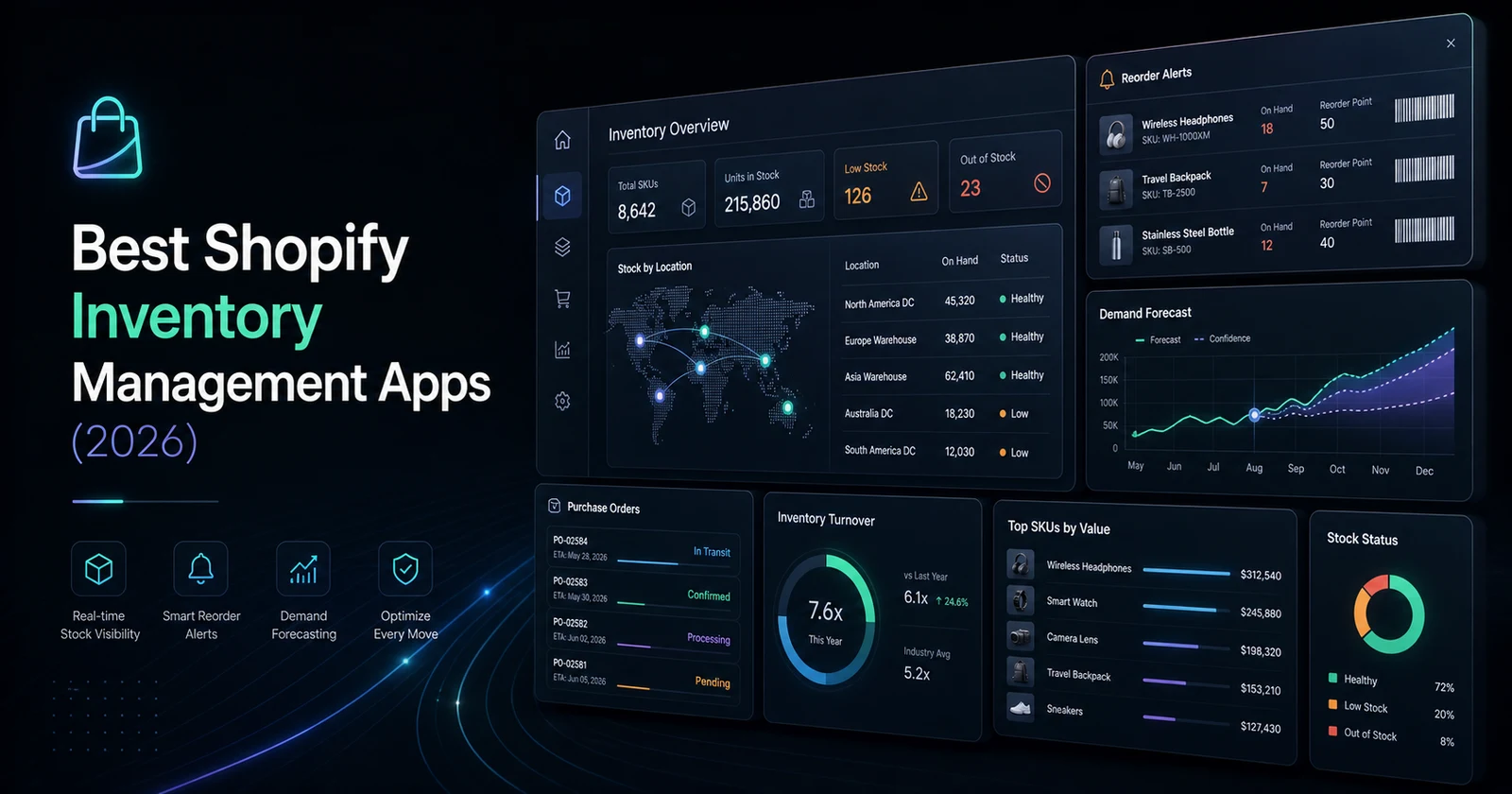
The best Shopify inventory management apps improve stock accuracy, purchasing, forecasting, and fulfillment without creating a second, conflicting inventory record. After comparing 11 platforms, SKULabs is the strongest all-around warehouse choice, Prediko leads Shopify-first forecasting and purchasing, Cin7 Core suits broader inventory and ERP control, Katana serves manufacturers, and Zoho Inventory offers an accessible small-business starting point.
Inventory becomes difficult as a store grows because one number—“available stock”—must reflect purchases, receiving, transfers, bundles, returns, damages, retail sales, online orders, wholesale commitments, and sometimes production. Add multiple warehouses, marketplaces, 3PLs, subscriptions, or B2B terms and a spreadsheet stops being a record; it becomes an argument between departments.
The hidden costs are larger than lost sales. Poor data causes emergency freight, excess working capital, markdowns, split shipments, canceled orders, supplier disputes, warehouse overtime, and customer-service tickets. A merchant can be profitable on paper and still run short of cash because too much money is trapped in slow-moving inventory.
Spreadsheets eventually fail because they do not reserve stock atomically, understand simultaneous channel demand, enforce scan validation, or preserve a reliable transaction history. They remain useful for analysis and controlled imports, but not as the live source of truth for a scaling store.
We evaluated 11 reputable platforms by inventory control, warehouse execution, forecasting, purchasing, barcode workflows, integrations, APIs, reporting, price, support, scale, and recent merchant evidence. Pricing and availability were checked on July 18, 2026. Vendors change plans and capabilities, so confirm the official page and run a proof of concept before signing a long contract.
Short answer: Choose SKULabs for barcode-led multi-channel warehouses; Prediko for forecasting and replenishment; Cin7 Core for inventory-centric ERP; Katana for production; Sumtracker for affordable bundles and multi-channel stock; Zoho Inventory for small-business breadth; Thrive for retail and POS; Inventory Planner for planning intelligence; Craftybase for makers; Extensiv for complex order orchestration; and Finale for high-volume multi-channel control.
Why Inventory Management Matters
Inventory accuracy is the percentage of system quantities that match physical reality. If Shopify says 20 units are available but the bin contains 17, every downstream promise is unreliable. Accuracy is improved by controlled receiving, scan validation, cycle counts, reason-coded adjustments, and one clearly defined stock authority.
Stock synchronization distributes trusted availability across Shopify, POS, marketplaces, warehouses, and fulfillment partners. Fast sync matters, but correct ownership matters more. Two systems writing the same quantity can create loops, stale overwrites, and phantom stock.
Warehouse management governs what happens inside a fulfillment location: receiving, putaway, bins, replenishment, picking, packing, transfers, counting, and shipping. A basic inventory app may show ten units in a warehouse; a WMS should know their bins, lot, status, and movement history.
Inventory forecasting estimates future demand from sales history, seasonality, promotions, stockouts, lead times, and business plans. A forecast is not a purchase order. It is an input to a buying decision that must also consider minimum order quantities, case packs, cash, shelf life, service targets, and supplier reliability.
Purchase orders (POs) communicate what you intend to buy, from whom, at what cost, and when it should arrive. Good PO workflows preserve ordered, confirmed, shipped, partially received, and closed quantities. They should not silently convert expected inventory into sellable stock before receiving.
Backorders accept demand for stock that is unavailable now but expected later. They can preserve revenue when arrival dates are credible. Without allocation rules and clear communication, they create overselling with a friendlier label.
Safety stock is the buffer held against demand or lead-time uncertainty. A simple approach is to protect a number of days of average demand; a better method accounts for variability and target service level. Applying the same buffer to every SKU usually wastes cash.
Demand planning combines statistical forecasts with commercial judgment. A fashion team adds launch calendars and size curves. A beverage brand adds weather and events. A B2B supplier adds customer contracts. The planner's job is to record overrides and measure whether they improved forecast accuracy.
Inventory valuation assigns financial value to units on hand using the business's accounting policy, such as FIFO or weighted average. Operational stock and accounting value are related but not interchangeable; landed cost, duties, freight, and adjustments need disciplined treatment.
SKU management gives every sellable or stock-managed unit a unique, durable identifier. “Blue shirt” is not enough. Size, color, pack, region, condition, and unit of measure may all affect identity. Duplicate or reused SKUs are one of the fastest ways to corrupt an integration.
Consider a skincare brand selling a serum individually, in a kit, through Shopify POS, and in subscription renewals. The same component demand appears through four paths. Accurate inventory requires component-level bundle mapping, future subscription visibility, location rules, and a policy for damaged returns. A simple total-on-hand field cannot express that operating model.
How We Selected These Apps
This ranking is organized around operational fit, not the length of a vendor's feature page.
- Inventory tracking: Available, committed, incoming, damaged, quarantined, and historical movement visibility.
- Multi-location and warehouse support: Locations, bins, transfers, receiving, replenishment, picking, packing, and routing.
- Forecasting: Seasonality, lead times, stockout correction, purchase recommendations, and planner overrides.
- Automation: Reorder alerts, PO creation, allocation, routing, channel buffers, and exception handling.
- Purchasing: Suppliers, costs, minimums, case packs, partial receipts, landed costs, and approvals.
- Barcode support: Counting, receiving, putaway, picking, packing, transfers, lot capture, and labels—not merely barcode storage.
- Reporting: Accuracy, valuation, aging, turnover, margins, stockouts, fill rate, and exportability.
- ERP and Shopify integration: Data coverage, sync direction, latency, failure recovery, APIs, webhooks, and audit logs.
- Commercial fit: Subscription, users, order volume, warehouses, onboarding, add-ons, support, and implementation cost.
- Scale and evidence: Recent merchant reviews, support patterns, reliability, permissions, security, and peak-volume readiness.
We did not reward an “AI” label by itself. A useful recommendation must expose assumptions, allow planner overrides, and improve measurable outcomes such as stockout rate, aged stock, forecast error, or working-capital efficiency.
Quick Comparison: Best Shopify Inventory Management Apps
| App | Best for | Starting price* | Free plan | Multi-warehouse | Barcode support | Forecasting | ERP integration | Automation | Ideal business size |
|---|---|---|---|---|---|---|---|---|---|
| SKULabs | Warehouse execution | $299/mo | No | Yes | Advanced | Yes | API on higher tiers | Advanced | Growing–enterprise |
| Prediko | Forecasting and replenishment | $49/mo | No | Yes | No | Advanced | WMS/3PL + API on enterprise | Advanced | Startup–mid-market |
| Cin7 Core | Inventory-centric ERP | $349/mo | No | Yes | Yes | Add-on | Strong | Advanced | Growing–enterprise |
| Katana | Manufacturing | $399/mo + onboarding | No | Yes | Yes | Yes | Strong | Advanced | Growing–enterprise |
| Sumtracker | Bundles and multi-channel stock | $59/mo | No | Yes | Limited | On $99 plan | API available | Strong | Small–mid-market |
| Zoho Inventory | Affordable operational breadth | Free; paid from $29/mo annually | Yes | Paid plans | Yes | Reorder planning | Strong in Zoho ecosystem | Good | Micro–mid-market |
| Thrive | Retail, POS, and stock control | $59/mo | No | Higher plans | Yes | Higher plans | Integration-led | Strong | Small–mid-market |
| Inventory Planner by Sage | Multi-channel planning | Custom quote | No | Yes | Yes | Advanced | Many data sources | Advanced | Growing–enterprise |
| Craftybase | Small-batch makers | $24/mo | No | Limited | Labels/lot workflows | Basic planning | Limited | Production-focused | Micro–small |
| Extensiv Order Manager | OMS and fulfillment routing | Custom quote | No | Yes | Via WMS | Yes | Strong | Advanced | Mid-market–enterprise |
| Finale Inventory | High-volume multi-channel | $499/mo | No | Yes | Optional WMS module | Yes | API/EDI | Advanced | Mid-market–enterprise |
*Public USD pricing checked July 18, 2026. “Free to install” with a required external quote is not treated as a free plan. Costs can increase with orders, users, locations, onboarding, modules, API access, and support.
The 11 Best Shopify Inventory Management Apps for 2026

App 01
SKULabs Inventory and Shipping: Best overall for warehouse operations
Best for: Growing and enterprise merchants that need multi-channel inventory, barcode picking, purchasing, shipping, and warehouse control
SKULabs Inventory and Shipping combines inventory, WMS, order management, barcode validation, purchasing, receiving, shipping, returns, and multi-channel control. It is the most complete operational choice here when fulfillment accuracy—not only forecasting—is the priority.
Best for: Merchants with one or more active warehouses, meaningful pick volume, and a need to coordinate Shopify with marketplaces, POS, carriers, or additional stores.
Key features: Real-time channel sync, warehouse-level stock, purchase orders, mobile barcode picking, receiving, cycle counts, returns, kits, multi-carrier shipping, replenishment, user permissions, Shopify Flow connections, APIs on higher tiers, and warehouse automation on advanced plans.
Pricing: Starter begins at $299 per month and includes two sales channels, two warehouses, three users, 10,000 SKUs, and 1,000 monthly orders. Higher public plans add locations, users, batch features, forecasting, automation, API access, and larger limits. Usage charges can apply, so model the production configuration.
Automation, reporting, and performance: SKULabs can centralize fulfillment rules, stock sync, purchase recommendations, and scan validation. Reporting covers stock, velocity, operations, and fulfillment. Most work is back-office, but availability feeds and channel updates should be load-tested during peak order volume.
Pros: Broad WMS capability, strong scan discipline, shipping in the same workflow, and good multi-channel depth. Cons: More expensive and operationally demanding than lightweight apps; entry tiers restrict API access and capacity.
Real-world use case: A home-goods brand operating two warehouses can route orders, validate every picked SKU by scan, print labels, receive returns back into the correct location, and publish the resulting availability to Shopify and marketplaces.
Limitations and when not to choose it: SKULabs is not a manufacturing MRP and may be excessive for a single low-volume stockroom. Do not buy it if nobody will own bin setup, scanning, receiving, exceptions, and training. Expert recommendation: Shortlist it when mis-picks, multi-channel allocation, and warehouse throughput cost more than the software.

App 02
Prediko Inventory Management: Best for Shopify-first forecasting
Best for: DTC teams that need demand forecasts, replenishment recommendations, purchase orders, transfers, and inventory reporting without a full WMS
Prediko Inventory Management is a planning and purchasing layer built around Shopify data. It forecasts demand by SKU and location, recommends buys, creates purchase orders, tracks raw materials and bills of materials, and connects with 3PL and WMS partners.
Best for: Shopify-first consumer brands whose primary problem is deciding what and when to reorder rather than executing warehouse picks.
Key features: AI-assisted forecasting, dynamic buying tables, stock alerts, multi-store and multi-location planning, transfers, bundle inventory, supplier management, purchase orders, raw materials, reports, and more than 100 listed WMS/3PL integrations.
Pricing: Public plans begin at $49 per month for stores up to $100,000 in revenue, then $119 up to $500,000 and $199 up to $2 million. The enterprise tier uses a price calculator and adds full API access and high-touch support. Public paid tiers advertise unlimited users, SKUs, alerts, and POs.
Automation, reporting, and performance: Prediko turns forecasts into reorder alerts and PO workflows, with customizable reports and exports. It should be assessed as a planning control plane; confirm how stockouts, promotions, new products, bundles, lead-time changes, and manual overrides affect the forecast.
Pros: Fast Shopify onboarding, accessible pricing, strong current merchant ratings, and focused planning UX. Cons: It is not a full barcode WMS, and revenue-based pricing can rise even when operational complexity does not.
Real-world use case: A beauty brand can plan each shade by location, protect launch inventory, forecast components used in kits, create supplier POs, and transfer excess stock before buying more.
Limitations and when not to choose it: Avoid it as the sole platform when you need bin-directed picking, serial capture, carrier workflows, or complex manufacturing execution. Expert recommendation: It is the best first shortlist for a growing Shopify-native brand replacing spreadsheet purchasing or Stocky planning.

App 03
Cin7 Core: Best inventory-centric ERP
Best for: Growing wholesale, retail, and multi-channel businesses that need purchasing, inventory, warehouse, accounting, and manufacturing depth
Cin7 Core sits closer to an ERP than a simple Shopify app. It connects sales channels with purchasing, inventory, accounting, fulfillment, B2B, WMS, and manufacturing capabilities.
Best for: Operationally mature merchants that need one inventory-centered system across ecommerce, wholesale, retail, purchasing, finance, and possibly production.
Key features: Unlimited inventory locations, purchase orders, landed costs, barcode scanning, B2B portals, POS, accounting integrations, production modules, serial and batch visibility, API options, and optional Advanced WMS and forecasting.
Pricing: The Shopify listing shows Standard at $349 per month, Pro at $599, and Advanced at $999, with a trial. Extra users, integrations, API capacity, POS, portals, WMS, and forecasting can increase total cost. Standard WMS supports one warehouse; multi-warehouse execution may require the advanced module.
Automation, reporting, and performance: Cin7 can automate channel sync, purchasing, fulfillment, accounting handoffs, and production-related processes. Its reporting is broader than Shopify-native tools, but implementation quality determines data trust. Map every sync direction before enabling automation.
Pros: Broad operational coverage, multi-location foundation, accounting ecosystem, B2B support, and room to grow. Cons: Setup is substantially heavier than an app install, add-ons affect cost, and process design or partner support may be required.
Real-world use case: A brand selling DTC, wholesale, and through showrooms can centralize products, landed costs, purchasing, available stock, B2B orders, and accounting movements while Shopify remains the customer-facing channel.
Limitations and when not to choose it: Do not choose Cin7 simply because spreadsheets feel untidy. If the team cannot define master data, approvals, receiving, costing, and close procedures, complexity will move into the new platform. Expert recommendation: Run a paid discovery and data prototype before committing to an ERP-class migration.

App 04
Katana Cloud Inventory: Best for manufacturers
Best for: Shopify brands that manufacture or assemble products and need raw-material, bill-of-materials, production, and finished-goods control
Katana Cloud Inventory is manufacturing software with Shopify integration, not a retail stock add-on. It links sales demand to raw materials, bills of materials, production operations, purchasing, batches, and finished goods.
Best for: Manufacturers and assemblers that need to understand whether material and production capacity can satisfy Shopify orders.
Key features: Real-time inventory, multi-location control, materials requirements, bills of materials, production scheduling, shop-floor workflows, purchasing, batch and expiry tracking, forecasting, outsourced manufacturing, reports, and accounting or fulfillment integrations.
Pricing: The official Shopify listing starts at $399 per month for up to three locations plus a $2,000 one-time onboarding fee. Professional is $899 plus $2,500 onboarding; Professional Plus is $1,999 plus $3,000 onboarding. A trial is listed. Confirm capacity, users, modules, and implementation scope.
Automation, reporting, and performance: Shopify orders can drive material demand and production priority. Reports cover inventory, value, operations, and planning. Automatic sync reduces re-entry, but variant mapping, cancellation handling, production completion, and backdated adjustments need careful test cases.
Pros: Clear manufacturing orientation, visual production planning, material traceability, and strong Shopify fit. Cons: Significant entry and onboarding cost; it does not replace a sophisticated enterprise WMS in every warehouse scenario.
Real-world use case: A furniture workshop can turn Shopify orders into production demand, reserve timber and hardware, buy shortages, schedule work, and receive completed pieces into finished-goods inventory.
Limitations and when not to choose it: A reseller with no production will pay for the wrong model. Highly regulated or complex manufacturers may require deeper quality, maintenance, engineering, or finance modules. Expert recommendation: Choose Katana when the inventory problem begins before finished goods exist.

App 05
Sumtracker Inventory Management: Best affordable multi-channel control
Best for: Small and mid-sized merchants with bundles, kits, multiple Shopify stores, and marketplaces
Sumtracker Inventory Management centralizes inventory across Shopify, Amazon, eBay, Etsy, Walmart, and other channels while handling bundles, multiple locations, stock counts, purchase orders, transfers, valuation, and replenishment.
Best for: Cost-conscious multi-channel sellers that need reliable bundle and stock synchronization without an enterprise WMS.
Key features: Up to 20 store connections on listed plans, multi-location stock, bundles and kits, API access, real-time sync, stocktakes, valuation, landed costs, COGS, purchase orders, transfers, supplier workflows, replenishment, and 12-month forecasting on Replenish.
Pricing: Manage is $59 per month for up to 2,500 annual orders. Replenish is $99 and adds purchasing, transfers, replenishment, forecasting, and reorder suggestions. The listing shows a 14-day trial and an enterprise custom option; “free to install” on enterprise is not a free operating plan.
Automation, reporting, and performance: Sumtracker updates component-aware availability across channels and can generate replenishment guidance. Reports include stock history, valuation, COGS, and landed costs. Test order surges and channel buffers because marketplace synchronization is never literally simultaneous.
Pros: Strong value, bundles, many connections, responsive positioning, and useful inventory financials. Cons: Order limits need watching; barcode-led warehouse execution and enterprise routing are not its center of gravity.
Real-world use case: A gift seller can map the same candle into several bundles, sell across two Shopify stores and marketplaces, preserve component availability, and generate purchase recommendations.
Limitations and when not to choose it: Avoid it if you need directed putaway, wave picking, serial scanning, or complex 3PL orchestration. Expert recommendation: It is one of the best upgrades from spreadsheets for a multi-channel small business with bundle complexity.

App 06
Zoho Inventory: Best budget all-rounder
Best for: Small businesses that need orders, purchasing, warehouses, barcode, serial or batch tracking, and accounting ecosystem connections
Zoho Inventory provides order management, purchasing, warehouse tools, shipping, inventory tracking, and automation within the wider Zoho business suite. Its Shopify integration is included according to Zoho's plan comparison.
Best for: Small and mid-sized operations that value price, order management, and connection with Zoho Books, CRM, Analytics, or other Zoho products.
Key features: Purchase orders, receives, transfer orders, bins, picklists, backorders, dropshipments, composite items, barcode generation and scanning, serial and batch tracking on eligible tiers, webhooks, custom functions, and multi-channel integrations.
Pricing: A limited free plan includes 50 orders, one user, and one location. Annual billing starts at $29 per organization per month for 500 orders, three users, and two locations. Premium is $79, Plus $129, and Enterprise $249 annually billed; add-ons can increase users, orders, locations, scans, and warehousing.
Automation, reporting, and performance: Workflow rules, email alerts, field updates, webhooks, custom functions, and Zoho Analytics provide useful extensibility. Shopify is one channel among many, so test taxes, discounts, fulfillment states, refunds, bundles, and product ownership rather than assuming native behavior.
Pros: Excellent breadth per dollar, free entry, serial and batch options, and a wider business ecosystem. Cons: Plan limits and add-ons require modeling; UX and implementation span several Zoho products when requirements grow.
Real-world use case: An electronics accessories seller can sync Shopify orders, receive supplier POs, track serial numbers for selected devices, manage two stock locations, ship orders, and reconcile through Zoho Books.
Limitations and when not to choose it: It is not the strongest choice for high-throughput directed warehouse execution or complex enterprise manufacturing. Expert recommendation: Evaluate it when your company already uses Zoho or needs more operational breadth than Shopify-native inventory at a small-business budget.

App 07
Thrive Inventory Management: Best for retail and POS operations
Best for: Merchants coordinating Shopify with physical retail, multiple POS systems, barcode counts, purchasing, bundles, and expiry dates
Thrive Inventory Management, formerly Shopventory, focuses on accurate stock, catalog control, purchasing, reporting, and synchronization across Shopify and retail point-of-sale environments.
Best for: Omnichannel retailers that need barcode-supported counts, bundles, supplier purchasing, and clearer product profitability across stores.
Key features: Stock alerts, COGS and FIFO lot-cost reporting, expiry dates, stock counts, barcode generation, bundles, POs, vendors, invoices, min/max levels, multi-store connections, scan-to-create workflows, and forecasting on higher tiers.
Pricing: Starter is $59 per month for up to 1,500 transactions. Standard is $129 for two total locations or integrations and adds bundles and POs. Professional is $279 for five locations/integrations and forecasting; Elite is $559 for ten and intelligent forecasting. A 14-day trial is listed.
Automation, reporting, and performance: Thrive provides automatic stock updates, alerts, PO assistance, and real-time operational reports. Its documentation states that quantity changes should be controlled in Thrive, an important ownership decision. Shopify multi-location pricing has limitations, so treat product price and stock rules separately.
Pros: Strong current merchant rating, practical retail features, barcode counts, expiry support, and POS connections. Cons: Location and transaction limits raise cost; it must become the inventory authority for reliable sync.
Real-world use case: A specialty-food retailer can manage in-store and online stock, count by barcode, watch expiring lots, create supplier POs, and analyze margins without maintaining separate retail spreadsheets.
Limitations and when not to choose it: It is less appropriate for deep manufacturing or enterprise order orchestration. Expert recommendation: Shortlist Thrive when Shopify coexists with physical retail and the team needs a practical central inventory system rather than a full ERP.

App 08
Inventory Planner by Sage: Best for advanced planning intelligence
Best for: Growing multi-channel merchants that need demand forecasting, replenishment, cash-flow planning, and SKU-level profitability
Inventory Planner by Sage specializes in turning multi-channel sales and stock data into forecasts, replenishment plans, purchase orders, and financial inventory insight.
Best for: Merchants with enough SKU, channel, and purchasing complexity to justify a dedicated planning layer while keeping another system for warehouse execution.
Key features: Multi-location planning, demand forecasts, replenishment, stockout and low-stock alerts, purchase orders, cash-flow planning, inventory turnover, SKU profitability, reports, barcode fields, and connections with sources such as Amazon, Cin7, Linnworks, QuickBooks, and ShipBob.
Pricing: The Shopify listing is free to install but states that pricing adapts to business needs and requires a quote. That is not a free plan. Obtain a written price based on channels, locations, revenue, users, data sources, onboarding, and support.
Automation, reporting, and performance: It can automate order recommendations and report distribution while giving planners a consolidated view. Data quality is decisive: stockout periods, discontinued products, one-off wholesale orders, and promotions must be identified or the model can learn misleading demand.
Pros: Mature forecasting focus, deep inventory finance visibility, many data sources, and expert-led onboarding. Cons: Quote-based pricing reduces quick comparisons; it supplements rather than replaces many WMS workflows.
Real-world use case: A multi-channel apparel brand can forecast variant demand, plan open-to-buy cash, identify aged sizes, and consolidate replenishment recommendations from Shopify, marketplaces, and wholesale history.
Limitations and when not to choose it: A tiny catalog with stable manual reordering will not capture enough value. Expert recommendation: Choose it when better buying decisions and working-capital visibility are more valuable than adding another warehouse execution tool.

App 09
Craftybase: Best for makers and small-batch production
Best for: Artisans, cosmetics makers, food producers, and small manufacturers that need raw materials, recipes, batches, lots, and COGS
Craftybase is designed for small product businesses that turn materials into finished goods. It tracks raw materials, recipes or bills of materials, subassemblies, production runs, lots, expiry dates, and cost of goods.
Best for: Makers who have outgrown spreadsheets but do not need the implementation weight of a larger MRP.
Key features: Material inventory, recipes, components, batch production, lot codes, expiry tracking, traceability, pricing guidance, COGS, inventory valuation, Shopify order import, and two-way stock synchronization on eligible plans.
Pricing: Craftybase starts at $24 per month for Pro, or $20 per month billed annually. Public annual rates then rise through Studio at $41, Indie at $83, Business at $166, and Growth at $291 per month. Its Shopify guidance says most Shopify makers use Indie, listed at $99 with monthly billing. A 14-day trial is available. Confirm order-line limits and stock-sync eligibility before selecting a tier.
Automation, reporting, and performance: Craftybase consumes materials when production is recorded and calculates product cost from recipes and purchases. Reports support valuation, COGS, traceability, and making decisions. It depends on disciplined production entries; it cannot infer a batch was made if the operator never records it.
Pros: Purpose-built maker terminology, affordable start, batch traceability, and material costing. Cons: Limited compared with enterprise MRP, warehouse, and planning platforms; operational discipline remains manual at key points.
Real-world use case: A small skincare studio can receive oils and packaging, create a production batch, assign lot codes and expiry dates, calculate serum cost, and update finished Shopify inventory.
Limitations and when not to choose it: Avoid it for large distribution networks, sophisticated wave picking, or complex capacity planning. Expert recommendation: It is the best bridge between a maker's spreadsheet and formal manufacturing software.

App 10
Extensiv Order Manager: Best for complex order orchestration
Best for: Mid-market and enterprise brands coordinating many channels, 3PLs, warehouses, routing rules, purchase orders, and fulfillment exceptions
Extensiv Order Manager, formerly Skubana, is an OMS-centered platform for connecting ecommerce channels to warehouses, 3PLs, purchasing, shipping, and financial inventory reporting.
Best for: Brands whose central challenge is deciding where and how each order should be fulfilled across a network.
Key features: Multi-channel order ingestion, order splitting, routing rules, warehouse and 3PL connectivity, inventory synchronization, purchase orders, forecasting, FIFO inventory value, COGS, SKU profitability, inventory aging, demand planning, and integration tooling.
Pricing: Order Manager is quote-based. Extensiv separately advertises Integration Manager from $39 per month for a basic merchant integration; that connector price should not be confused with the cost of the full OMS. Request platform, onboarding, integration, volume, support, and 3PL costs in one estimate.
Automation, reporting, and performance: Sophisticated routing and order manipulation are Extensiv's advantage. The same power raises implementation risk: every split, hold, cancel, partial fulfillment, return, and channel exception needs an explicit rule and audit path.
Pros: Strong OMS and 3PL orientation, complex routing, broad integrations, and useful inventory financials. Cons: Quote-based enterprise buying, implementation effort, and potential overkill for a single Shopify warehouse.
Real-world use case: An international brand can route orders by inventory, geography, service level, and 3PL capability; split only when necessary; return tracking to Shopify; and analyze landed profitability across warehouses.
Limitations and when not to choose it: It is not the best first app for basic low-stock alerts or simple purchase orders. Expert recommendation: Consider Extensiv when fulfillment-network orchestration is the business problem, and require an exception matrix during solution design.

App 11
Finale Inventory: Best for high-volume multi-channel inventory
Best for: Mid-market and enterprise sellers that need multi-warehouse stock, procurement, serial or lot traceability, barcode WMS, and API or EDI connectivity
Finale Inventory is a multi-channel inventory platform covering warehouses, procurement, replenishment, bundles, financial reporting, API and EDI, with an optional barcode WMS module.
Best for: High-SKU or high-order-volume operations that sell across Shopify and marketplaces and need stronger controls than a lightweight app.
Key features: Multi-warehouse inventory, stocktakes, cycle counts, lot IDs, serial numbers, returns, 40-plus integrations, kitting, alias SKUs, wave picking, purchase orders, min/max reordering, velocity forecasts, transfers, landed cost, valuation, COGS, REST and GraphQL APIs, and EDI.
Pricing: Public plans start at $499 per month and vary with users, integrations, order volume, and add-ons. Barcode WMS is an optional module. Ask for a three-year quote covering every channel, scanner workflow, API, EDI partner, onboarding, sandbox, and support level.
Automation, reporting, and performance: Finale automates stock publishing, replenishment, purchasing, and channel coordination. Its configurable reports and fields can support complex operations, but custom layouts and aliases need governance to avoid hidden logic only one employee understands.
Pros: Deep multi-channel control, serial and lot tracking, strong procurement, configurable reporting, and modern APIs. Cons: Premium starting cost and optional-module complexity; smaller teams may not use enough of it.
Real-world use case: An electronics distributor can track serials, synchronize Shopify and marketplaces, replenish several warehouses, scan receiving and picking, and exchange wholesale documents through EDI.
Limitations and when not to choose it: Do not choose Finale for a low-volume single channel or as a dedicated manufacturing MRP. Expert recommendation: Include it in enterprise evaluations where inventory traceability, multi-channel scale, and extensibility justify the investment.
Stocky Is Being Discontinued: What Shopify Merchants Should Do
Shopify delisted Stocky on February 2, 2026 and says it will stop working after August 31, 2026. It is unavailable to reinstall. Any buyer's guide that treats Stocky as a current recommendation is now operationally unsafe.
Shopify's native inventory tools now cover real-time location stock, transfers and shipments, purchase orders, adjustments, history, reports, POS inventory workflows, APIs, permissions, Flow-based low-stock alerts, and Sidekick assistance. That may be enough for a straightforward retailer.
Migration still needs planning. Shopify warns that historical Stocky purchase orders and stocktakes do not automatically migrate, supplier data cannot be exported directly, and Stocky APIs will stop with the app. Before the deadline:
- Inventory every Stocky workflow, report, supplier field, role, API, and downstream export.
- Export available reports and preserve records required for finance or audit.
- Decide whether native Shopify, Prediko, SKULabs, Thrive, Cin7, or another platform owns each replacement process.
- Rebuild supplier and purchasing data, then reconcile open POs and incoming stock.
- Test receiving, transfers, returns, counts, low-stock alerts, POS, and financial reports.
- Run a physical or controlled cycle count before cutover and sign off opening balances.
- Freeze conflicting updates during migration, monitor exceptions, and retain a documented fallback.
Comparison Tables by Use Case
Best Free or Low-Cost Inventory Options
| Platform | Cost position | Best use | Main trade-off |
|---|---|---|---|
| Shopify native inventory | Included with Shopify plan | Simple location stock, POs, transfers, POS | Limited advanced planning and WMS depth |
| Zoho Inventory | Free limited plan; $29/mo annually paid | Small-business orders and stock | Tight free limits; ecosystem configuration |
| Craftybase | From about $24/mo | Small makers and batch production | Not a warehouse or enterprise platform |
| Prediko | From $49/mo | Forecasting and purchase planning | Not a barcode WMS |
| Sumtracker | From $59/mo | Bundles and channel synchronization | Annual order limits |
Best Premium Platforms
| Platform | Why pay more | Best fit |
|---|---|---|
| SKULabs | Barcode WMS, shipping, purchasing, multi-channel control | Warehouse-led brands |
| Cin7 Core | ERP-like inventory, finance, wholesale, production | Operationally mature companies |
| Katana | Manufacturing planning and material control | Producers and assemblers |
| Extensiv | OMS routing and 3PL orchestration | Distributed fulfillment networks |
| Finale | Traceability, procurement, WMS, API and EDI | High-volume multi-channel sellers |
Best Multi-Warehouse Apps
| Need | Recommended platforms |
|---|---|
| Scan-led warehouse execution | SKULabs, Finale, Cin7 Core |
| Retail and POS locations | Thrive, Cin7 Core, Zoho Inventory |
| Planning across locations | Prediko, Inventory Planner by Sage |
| Distributed 3PL routing | Extensiv, SKULabs |
| Affordable stock synchronization | Sumtracker, Zoho Inventory |
Best ERP Integration Solutions
| Situation | Best option |
|---|---|
| Inventory-centered ERP | Cin7 Core |
| Zoho finance and CRM ecosystem | Zoho Inventory |
| Existing external ERP with warehouse needs | SKULabs or Finale plus integration |
| Complex OMS/WMS/3PL network | Extensiv |
| Bespoke ERP contracts and data model | Custom Shopify integration |
Best Forecasting Tools
| Platform | Planning strength | Operational caveat |
|---|---|---|
| Prediko | Shopify-first forecast, buying table, PO workflow | No full WMS execution |
| Inventory Planner by Sage | Multi-source forecasting and inventory finance | Quote-based; separate execution layer |
| Cin7 Core | Planning inside broader ERP operations | Advanced functions may be add-ons |
| Thrive | Retail replenishment on higher tiers | Location and transaction limits |
| Finale | Velocity forecasting with procurement | Higher platform cost |
Best Apps for Shopify Plus
| Operational model | Recommended shortlist |
|---|---|
| High-throughput DTC warehouse | SKULabs, Finale |
| Multi-channel and wholesale | Cin7 Core, Finale |
| Manufacturing | Katana, Cin7 Core |
| Distributed 3PL fulfillment | Extensiv, SKULabs |
| Planning layer over existing systems | Inventory Planner, Prediko |
Best Apps for Small Businesses
| Business | Recommended option |
|---|---|
| Very small reseller | Shopify native inventory or Zoho |
| Maker | Craftybase |
| Bundles across channels | Sumtracker |
| Retail store plus Shopify | Thrive |
| Shopify-first brand improving buys | Prediko |
Common Inventory Management Mistakes
Overselling without diagnosing the cause
Overselling is rarely solved by toggling “continue selling when out of stock.” Find the failure mode: sync latency, duplicate SKUs, bundle components, unreceived returns, manual adjustments, POS offline behavior, preorder rules, or two systems publishing quantities. Add a channel safety buffer only after understanding the source.
Duplicating inventory records
The same physical item should not have several unrelated identities unless the business deliberately treats them as separate stock pools. Maintain a canonical SKU, barcode, unit of measure, and mapping table. Never reuse a retired SKU for a new product.
Poor variant and SKU organization
Fashion variants make this visible: “Tee / Blue / M” must be distinguishable from every color and size in purchasing, bins, forecasts, and returns. A clean naming convention improves human work; a durable unique ID protects integrations.
Ignoring censored demand in forecasts
Sales during a stockout do not show true demand because shoppers could not buy. Forecasting raw sales can therefore recommend too little stock. Use a platform that identifies stockout periods and lets planners record launch, promotion, and event assumptions.
Allowing manual updates everywhere
If warehouse staff adjust in one system, finance imports another value, and a channel app publishes a third, reconciliation becomes impossible. Define the system of record and permitted adjustment reasons. Other systems should request changes through documented interfaces.
Reordering without a policy
“Buy when it looks low” creates alternating stockouts and excess. Set review cadence, target service level, lead time, safety stock, minimum order quantities, case packs, and approval thresholds by SKU class.
Connecting systems without ownership rules
An integration diagram is not enough. For products, barcodes, prices, costs, stock, orders, fulfillments, returns, POs, and suppliers, document which system creates, updates, and consumes each field.
Measuring only on-hand inventory
Operations need available, committed, incoming, backordered, damaged, quarantined, and aged quantities. Leaders also need cash tied up, turnover, gross margin return, forecast error, fill rate, and lead-time reliability.
Decision Framework: Choose the Right Platform
Start with the operating bottleneck, then confirm the platform category.
- If stock is simple and accurate but purchasing is guesswork, evaluate Prediko or Inventory Planner.
- If pick errors, counts, and warehouse throughput are the problem, evaluate SKULabs, Finale, or Cin7 WMS capabilities.
- If raw materials and production create uncertainty, evaluate Katana, Craftybase, or Cin7 Core.
- If orders must be routed across 3PLs and warehouses, evaluate Extensiv or SKULabs.
- If Shopify, POS, and stores disagree, evaluate Thrive, Cin7, SKULabs, or Zoho.
- If finance, wholesale, purchasing, and inventory need one model, evaluate Cin7 Core or an ERP integration.
- If the workflows are genuinely proprietary, design a custom integration or app around Shopify APIs and Functions rather than forcing a poor fit.
| Merchant profile | Recommended starting shortlist | Why |
|---|---|---|
| Startup | Shopify native, Zoho, Sumtracker | Low cost and manageable setup |
| Growing store | Prediko, Sumtracker, Thrive | Better planning and control without full ERP weight |
| Wholesale business | Cin7 Core, Finale, Zoho | POs, multi-location, B2B, costing |
| Multi-location retail | Thrive, SKULabs, Cin7 | POS sync, counts, transfers, warehouse workflows |
| Manufacturer | Katana, Craftybase, Cin7 | Materials, BOMs, production, finished goods |
| International brand | Extensiv, Cin7, Finale | Multi-channel networks and integrations |
| B2B company | Cin7, Finale, Zoho | Purchasing, bulk orders, customer terms, EDI options |
| Shopify Plus | SKULabs, Cin7, Extensiv, Finale | Scale, permissions, APIs, sophisticated operations |
| Enterprise | Extensiv, Finale, Cin7, custom ERP integration | Network orchestration and extensibility |
Before selection, create a scenario script with at least 20 real transactions: new SKU, bundle sale, partial receipt, transfer in transit, cancel after allocation, partial refund, damaged return, stock count variance, POS sale, marketplace order, split shipment, supplier delay, backorder, and peak-volume batch. Score the vendor on outcomes and exception recovery—not demo polish.
Inventory Management by Business Type
Fashion and apparel: size and color variants
Fashion needs variant-level forecasting, size curves, launch calendars, returns handling, and aged-stock visibility. Inventory Planner or Prediko works well for planning; SKULabs or Finale adds warehouse control. Forecast a style at both parent and variant level, but buy and replenish the actual sellable variant. Track sell-through by launch cohort and transfer stranded sizes before marking down the entire style.
Beauty and cosmetics: batches and expiry tracking
Beauty brands need lot traceability, expiry rules, kit components, samples, and subscription demand. Katana fits in-house production, Craftybase suits small makers, and Thrive or Zoho can handle expiry-aware stock at a smaller scale. Use FEFO where shelf life matters, record batch at receiving, and make recall lookup possible without searching emails or spreadsheets.
Electronics: serial numbers and warranties
Serial identity matters for warranty, returns, fraud, and recalls. Finale, Zoho, and Cin7 are stronger candidates than forecast-only apps. Capture serials during receiving and shipment, link the shipped serial to the order, and define whether refurbished, returned, and quarantined units are separate conditions or locations.
Food and beverage: expiration dates
Food and beverage businesses need expiry dates, lot tracking, FEFO picking, supplier lead-time reliability, and demand sensitivity to season or events. Thrive is practical for retail; Katana or Craftybase helps producers; Cin7 and Finale suit larger networks. Do not let total on-hand hide stock that will expire before it can be sold.
Health and supplements: compliance and lot tracking
Supplements require defensible lot genealogy, expiry, supplier documentation, and recall execution. Katana, Cin7, Finale, or a validated ERP integration may fit depending on manufacturing depth. The software is only part of compliance: permissions, audit trails, operating procedures, retention, quality holds, and regional regulation need formal review.
Furniture and home goods: large SKU catalogs
Furniture combines large catalogs, variants, long supplier lead times, bulky storage, dropship items, and split delivery. Cin7, SKULabs, Finale, or Extensiv are relevant. Separate stocked, made-to-order, and dropship availability; incorporate inbound dates and delivery capacity instead of promising from a single quantity field.
Print-on-demand: virtual inventory
Print-on-demand inventory is often production capacity plus blank-product availability, not units sitting in your warehouse. Keep supplier availability separate from merchant-owned stock. Use the POD provider's official integration for fulfillment, while Shopify or a sync layer manages sellability. Apply buffers when supplier feeds are delayed and define substitute blanks or routing rules before an outage.
B2B wholesale: purchase orders and bulk inventory
B2B requires customer-specific terms, larger allocations, case packs, prebooks, POs, partial shipments, and sometimes EDI. Cin7, Finale, Zoho, and Extensiv are strong candidates. Reserve contract stock deliberately so a DTC promotion cannot consume it, and expose realistic available-to-promise dates to sales teams.
Manufacturers: raw materials and production planning
Manufacturers must connect finished-goods demand to raw materials, subassemblies, yield, scrap, work in progress, and production capacity. Katana is the clearest fit; Craftybase handles smaller makers; Cin7 covers broader operations. Do not treat raw material as sellable stock or mark a production order complete before quality and quantity are confirmed.
Inventory Best Practices for Shopify
1. Establish a cycle-count program
Do not wait for an annual shutdown to discover errors. Count A items and high-risk bins frequently, B items on a moderate cadence, and C items less often. Blind counts reduce confirmation bias. Investigate root causes and track accuracy by location, user, process, and SKU class.
2. Use ABC analysis with more than revenue
Classic ABC analysis ranks items by annual consumption value. Add contribution margin, demand volatility, lead time, criticality, shrinkage, and substitution. A low-revenue packaging component can still be operationally critical if its absence stops every shipment.
3. Set safety stock scientifically
Start with demand and lead-time variability plus a target service level. Review exceptions for launches, perishables, constrained cash, and supplier minimums. Recalculate after lead-time or demand patterns change; a static buffer eventually becomes either waste or insufficient protection.
4. Measure forecast accuracy and bias
Use weighted absolute percentage error or another metric suitable for your data, but also track bias. A forecast that is consistently low creates stockouts; consistently high creates aging. Measure at the level where decisions are made and exclude periods with no valid selling opportunity.
5. Monitor inventory turnover and aging
Turnover shows how often average inventory is sold over a period. Segment by product lifecycle and margin. A slow-turning high-margin replacement part is not automatically unhealthy, but a seasonal item aging beyond its selling window is an urgent cash problem.
6. Scan at operational control points
Barcode scanning is most valuable where an error would propagate: receiving, putaway, picking, packing, transfers, counts, and returns. Decide whether scans validate identity, quantity, bin, lot, serial, or all five. A barcode printed but never enforced is decoration.
7. Design warehouse locations deliberately
Create clear location and bin conventions, place fast movers near packing, separate quarantine and damaged stock, and prevent overflow bins from becoming invisible. Re-slot based on order affinity and velocity, not habit.
8. Automate purchase orders with approval controls
Automation should propose quantities using forecast, lead time, safety stock, case pack, MOQ, open POs, and cash constraints. Use approval thresholds for unusual buys. Automatically sending every recommendation to a supplier can accelerate a bad forecast.
9. Configure actionable low-stock alerts
An alert should name the SKU, location, days of supply, lead time, incoming quantity, recommended action, and owner. Hundreds of identical warnings train staff to ignore them. Route only exceptions that require a decision.
10. Review an operational scorecard
At minimum, monitor accuracy, stockout rate, order fill rate, backorders, aged inventory, turnover, forecast error and bias, PO on-time performance, lead-time variance, shrinkage, and gross margin return on inventory investment. Define each metric so finance, operations, and merchandising calculate it the same way.
Inventory Automation for Shopify
Automation should remove predictable work while making exceptions more visible.
Automatic stock syncing publishes trusted availability to Shopify and other channels. Choose one authority, use idempotent updates, retain event logs, and alert on stale syncs or negative quantities.
Supplier integrations can exchange catalogs, costs, availability, purchase orders, confirmations, advanced shipping notices, and invoices. Validate identifiers and units of measure; “case of 12” mapped as “one unit” can cause more damage than no integration.
Purchase-order automation converts planning recommendations into drafts, routes approvals, sends the PO, records confirmations, updates arrival dates, and flags late lines. Preserve the human decision for exceptional cost, quantity, or supplier changes.
Warehouse routing assigns orders based on available inventory, destination, service level, capacity, cut-off time, product restrictions, and cost. Optimize the whole order; the geographically closest warehouse is not always cheapest if it creates a split.
Low-stock notifications work best through Shopify Flow or the selected platform when they include decision context and ownership. Escalate unresolved exceptions instead of sending repeated generic emails.
Forecasting automation refreshes demand, days of supply, and reorder proposals as new sales and lead-time data arrive. Require an override reason so the team can learn whether commercial judgment improved the model.
Inventory reporting automation distributes a stable scorecard and exception list on a defined schedule. Finance may need valuation and reconciliation; buyers need risks and recommendations; warehouse leads need accuracy and throughput. Do not send every report to everyone.
Workflow automation can tag risky orders, hold fraud-sensitive SKUs, reserve B2B allocations, create replenishment tasks, notify suppliers, or update service teams. Shopify automation is most reliable when each workflow has an owner, failure alert, test fixture, and manual recovery procedure.
When Custom Development Is Better
An app should be preferred when a standard process meets the requirement. Custom development becomes rational when the operating model creates durable competitive value or several systems must agree on rules no packaged connector represents.
Common cases include:
- ERP integrations with proprietary product, costing, allocation, or order contracts.
- Custom warehouse workflows for regulated goods, personalization, kitting, or unusual scan steps.
- API integrations across Shopify, WMS, OMS, ERP, 3PL, suppliers, marketplaces, and BI.
- Inventory synchronization that accounts for subscriptions, preorders, wholesale reservations, safety buffers, or virtual stock.
- Custom dashboards combining commercial, operational, and financial measures at decision-ready granularity.
- Supplier portals for confirmations, documents, shipment notices, shortages, and lead-time updates.
- Automated purchasing with company-specific approvals, budgets, MOQs, forecasts, and exception rules.
- Shopify Flow automation that coordinates tags, holds, transfers, communications, and downstream systems.
- Headless commerce integrations where availability and delivery promises must be exposed through custom storefront APIs.
AreoTech approaches Shopify development, custom Shopify apps, and ERP automation as systems work, not connector installation. The first deliverable should be a source-of-truth matrix and failure model. Then the team can design idempotent events, reconciliation, observability, permissions, and safe recovery.
A custom integration is not automatically better. It carries maintenance, API-version, security, monitoring, and support obligations. Build only the differentiated layer and keep commodity warehouse, accounting, or forecasting functions in proven platforms where possible.
Implementation Roadmap
- Baseline the operation. Record accuracy, stockouts, aged value, order volume, pick error, lead time, and hours spent on manual work.
- Clean master data. Deduplicate SKUs, confirm variants and barcodes, normalize units, suppliers, locations, kits, and costs.
- Define ownership. Assign one create/update authority for every key entity and field.
- Map future workflows. Cover happy paths and exceptions from purchasing through returns and accounting.
- Prototype real scenarios. Use production-like data, real scanners, locations, bundles, taxes, and fulfillment states.
- Reconcile opening data. Match physical count, current system, new platform, open POs, committed orders, and accounting value.
- Cut over in a controlled window. Freeze relevant changes, monitor event queues, and maintain rollback criteria.
- Stabilize before optimizing. Resolve sync errors and user behavior before automating more decisions.
- Measure outcomes. Compare accuracy, stockouts, labor, inventory value, and service levels against the baseline.
For a high-risk migration, use Shopify maintenance and performance optimization coverage during stabilization whenever availability UI or custom scripts touch the storefront.
Frequently Asked Questions
What is the best Shopify inventory management app in 2026?
SKULabs is the best all-around warehouse platform, but there is no universal winner. Prediko is better for planning, Katana for manufacturing, Cin7 Core for ERP breadth, Extensiv for order orchestration, and Zoho for a smaller budget. Buy for the constraint, not the ranking.
Does Shopify have built-in inventory management?
Yes. Shopify supports location stock, transfers, purchase orders, adjustment history, reports, POS workflows, APIs, and automation. Specialist software becomes valuable for advanced forecasting, manufacturing, barcode WMS, multi-channel orchestration, or ERP integration.
What is happening to Stocky?
Stocky is being discontinued. Shopify delisted it on February 2, 2026 and says it stops working after August 31, 2026. Export necessary information and complete a tested migration before that deadline.
What is the best free inventory option?
Start with Shopify's native inventory tools. Zoho Inventory has a limited free plan, but its order, location, and user caps are small. A “free to install” listing that requires an external paid contract is not a free plan.
Which app is best for multiple warehouses?
SKULabs, Finale, and Cin7 are the strongest execution-oriented choices. Extensiv excels at routing across fulfillment nodes; Thrive works well for retail locations; Prediko and Inventory Planner plan across locations but are not full WMS replacements.
Which app is best for manufacturers?
Katana is the strongest manufacturing-first recommendation. Craftybase is better for small makers; Cin7 fits companies needing manufacturing inside broader inventory, wholesale, and finance operations.
Which app is best for forecasting?
Prediko is the most approachable Shopify-first planner, while Inventory Planner by Sage is strong for multi-source planning and financial insight. Always test how the platform handles stockouts, launches, promotions, and manual overrides.
Can Shopify prevent overselling?
Yes, when the data model and sync are correct. Use unique SKUs, component-aware bundles, one inventory authority, location rules, appropriate buffers, and monitored integrations. An app cannot compensate for contradictory master data indefinitely.
What is the difference between WMS, OMS, and ERP?
A WMS executes warehouse work, an OMS orchestrates orders, and an ERP connects core business processes. Inventory software may overlap all three, but selection should begin with the job that must improve.
Do these apps support barcode scanning?
Many do, but depth varies. Ask whether scanning validates receiving, bin, lot or serial, picking, packing, transfer, count, and return workflows. Storing a barcode is not the same as enforcing scan accuracy.
Can Shopify track lots, serials, and expiry dates?
Yes, through specialist inventory platforms or custom integrations. Match the tool to the audit, recall, warranty, and compliance evidence you must produce—not merely the presence of a feature checkbox.
How much does inventory software cost?
Expect anything from included native tools to thousands per month. Calculate subscription, users, warehouses, order volume, modules, scanners, onboarding, API, middleware, support, and internal implementation time.
How should we migrate from spreadsheets?
Clean, map, count, test, and reconcile before cutover. Do not import a dirty spreadsheet into a new system and call it transformation. Preserve opening balances and signed reconciliation evidence.
Can Shopify integrate with our ERP?
Yes. Use official connectors where they match requirements, middleware for maintainable orchestration, or custom APIs for proprietary rules. Define field ownership and loop prevention before development.
Which inventory reports matter most?
Accuracy, days of supply, stockout rate, fill rate, backorders, turnover, aged stock, forecast error, lead-time variance, shrinkage, and return on inventory investment are a strong core. Assign an owner and action threshold to each.
How often should we cycle count?
Use risk-based frequency. Count high-value, high-velocity, or error-prone A items most often; B items moderately; and C items less frequently. Increase cadence after process changes or repeated variance.
When should we use custom development?
Use it when a standard platform cannot safely represent valuable business rules or system contracts. Examples include B2B reservations, subscription demand, bespoke supplier portals, regulated traceability, proprietary routing, and complex ERP synchronization.
Can an inventory app slow the storefront?
Back-office tools usually have limited direct impact, but customer-facing availability, backorder, bundle, or locator scripts can. Measure Core Web Vitals, avoid blocking operational calls, and cache safe availability data appropriately.
Key Takeaways
- Choose the platform category first: planning, WMS, OMS, manufacturing, ERP, or synchronization.
- SKULabs is the best overall warehouse choice; Prediko leads Shopify-first planning; Cin7 Core leads ERP breadth; Katana leads manufacturing.
- Stocky is no longer a valid recommendation for new installs and stops working after August 31, 2026.
- Define one inventory source of truth before connecting systems.
- Clean SKUs, barcodes, units, locations, bundles, suppliers, and costs before migration.
- Evaluate barcode depth, exception handling, reporting, APIs, and total cost—not feature counts alone.
- Forecasting does not replace planning judgment; WMS software does not replace warehouse discipline.
- Test real edge cases and reconcile physical, operational, and financial inventory before launch.
Quick Decision Guide
| If you are... | Recommended platform |
|---|---|
| Startup | Shopify native inventory or Zoho Inventory |
| Growing store | Prediko or Sumtracker |
| Wholesale business | Cin7 Core or Finale Inventory |
| Manufacturer | Katana; Craftybase for small makers |
| International seller | Extensiv, Cin7 Core, or Finale |
| Multi-warehouse retailer | SKULabs or Thrive |
| Shopify Plus merchant | SKULabs, Cin7 Core, Extensiv, or Finale |
| Enterprise | Extensiv, Finale, Cin7 Core, or a custom ERP integration |
Suggested Internal Reading
- Explore AreoTech's Shopify development and CRO services for conversion-focused storefront engineering.
- Review Shopify Plus development and migration support for complex replatforming and enterprise architecture.
- See how Shopify automation can coordinate low-stock alerts, exceptions, and operational workflows.
- Use custom Shopify app and ERP integration development for proprietary supplier or inventory logic.
- Review Shopify store maintenance and performance optimization for post-launch monitoring and support.
- Read the Shopify automation workflows guide before designing cross-system processes.
- Review the Shopify store maintenance guide for operational ownership.
- Browse relevant case studies to understand AreoTech's implementation approach.
Conclusion
Inventory software should make promises more reliable, working capital more productive, and operational exceptions easier to resolve. The right choice may be a focused planner such as Prediko, a warehouse platform such as SKULabs, a manufacturing system such as Katana, an inventory ERP such as Cin7 Core, or a network OMS such as Extensiv. It should not be selected because a competitor's logo appears on a vendor page.
Start with clean data, a source-of-truth model, and measurable operational goals. Then test the platform against your real products, locations, channels, suppliers, and failure cases. That discipline will outperform a longer feature checklist every time.
If your requirements span Shopify development, Shopify ERP integrations, inventory automation, custom Shopify apps, API integrations, Shopify Plus development, or warehouse automation, contact AreoTech. We can help define the architecture, evaluate platforms, build the differentiated integration layer, and stabilize the operation after launch.