
A Shopify theme update or app installation can produce a sudden wave of product structured data warnings. The immediate temptation is to install another SEO tool or paste a JSON-LD snippet into the theme. That can make the page harder to understand if several systems now describe the same product differently.
Fixing Shopify product schema errors requires three separate checks: what the page actually says, which system generates that information, and what Google's report is evaluating. A warning about an optional property is different from invalid markup, and neither automatically explains every traffic decline.
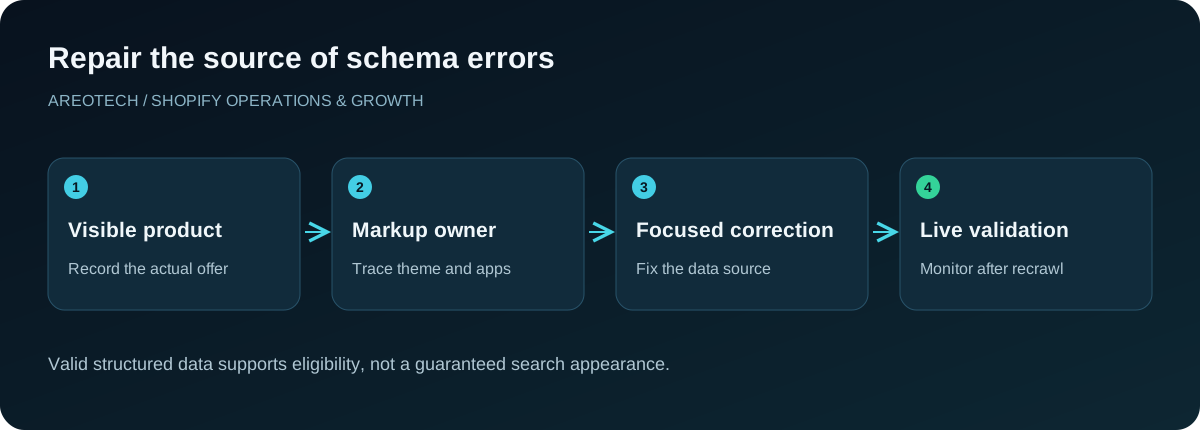
This guide provides a repeatable diagnostic process for merchants and developers. It focuses on source ownership, representative testing, and evidence that the deployed output improved. It does not promise a particular search appearance simply because a validator reports success.
Identify the exact report and item
Record the report name, affected URL, item type, property, and message. Search Console can report different product-related experiences, and a testing tool may discover several entities on one page. Capture the specific object being flagged rather than sharing only a screenshot of the total count.
Google's introduction to product structured data distinguishes product snippets and merchant listings. Determine which experience fits the page before applying requirements copied from another context.
Also separate live-page results from historical crawl information. A report may still describe an earlier version of the theme. Record when the issue was observed and compare the tested HTML with what the store currently serves.
Distinguish errors from useful recommendations
Read the exact classification of the issue. Missing required information can affect eligibility for a particular feature, while a recommendation may identify an optional enhancement. Treat both deliberately, but do not present every advisory as a critical store failure.
Prioritize by affected pages, commercial importance, and the meaning of the missing information. An incorrect price across all products deserves faster attention than an optional field that the business cannot truthfully provide.
Avoid filling fields with guesses merely to remove a warning. A fabricated identifier, shipping promise, or review rating is worse than an honestly absent optional property. Assign catalogue owners to resolve missing facts before asking developers to expose them in markup.
Inventory every markup source
List the theme's built-in product output, SEO apps, review apps, page builders, and custom snippets. Note which system describes products, offers, reviews, breadcrumbs, and the organization. A provider can own one entity without owning every structured data object.
Inspect the delivered and rendered page where needed. Search for JSON-LD and other supported markup formats, then identify their generating source through the theme and app configuration. Preserve a copy of the current output before editing.
Several scripts are not automatically wrong. A page can legitimately describe multiple related entities. The problem is unclear or conflicting information about the same thing, especially when two product descriptions disagree about price, availability, or review data.
Choose a representative product test set
Include a simple product, a product with several variants, a discounted item, an unavailable item, and a product with genuine reviews. Add special templates, subscriptions, bundles, or market variants if the store uses them.
For each page, record what a shopper sees before inspecting markup. Note the selected variant, displayed currency, price, availability, and review information. That visible state provides the reference against which structured data should be evaluated.
Do not approve a global theme change based only on the easiest product. Conditional branches often hide defects until a field is empty, a sale ends, or a variant sells out. Those cases belong in acceptance testing rather than post-launch discovery.
Compare offers with the buying experience
Check that the offer describes the item and market represented by the page. Review price, currency, availability, and destination URL together. A correct numerical amount paired with the wrong currency still communicates the wrong offer.
Google's merchant listing documentation defines the relevant product and offer requirements. Use those definitions for the intended experience instead of treating an app's generic score as the specification.
Investigate how promotional and variant prices are selected. A script may output the first variant while the page opens another, or retain a previous sale value. Find the underlying selection logic so the correction continues working when the catalogue changes.
Model variants deliberately
Different sizes and colours may share a product family while having distinct identifiers, images, availability, and prices. Decide how the storefront exposes them through URLs and selection controls before choosing the corresponding structured data model.
Google's product variant guidance describes grouping with ProductGroup and related properties. Its examples distinguish single-page and multiple-page implementations. Choose the model that matches the actual store behaviour rather than copying an example because it validates in isolation.
Test variant links in a fresh session. The destination should show the intended item state without depending on a prior selection stored in the browser. Keep identifiers stable and coordinate the mapping with product feeds and external catalogue systems.
Keep reviews attributable and visible
Review markup should describe genuine review information associated with the relevant product or supported grouping. Inspect where the rating count and value originate, how they are updated, and whether the same information is accessible to shoppers.
Do not substitute a company-wide testimonial score for an individual product rating simply because the product has no reviews. Also investigate whether an old review app still outputs historical data after the storefront widget has been replaced.
Google's structured data policies are the appropriate reference for accuracy and relevance. Use them when resolving disagreements between a vendor's default implementation and the information actually presented on your page.
Check identifiers without inventing values
Compare SKU, brand, and any manufacturer-provided identifiers against the catalogue source of truth. Product families and individual variants may use different identifiers for different purposes. Document which record supplies each value.
Missing identifiers should become a catalogue question, not an opportunity to generate plausible-looking strings. Ask the supplier or product owner what exists and what accurately identifies the merchandise. A private-label item may require different handling from a resold branded product.
Test special characters and empty fields. Improper escaping can turn valid product content into invalid JSON. Developers should use the platform's supported serialization patterns rather than constructing structured data through fragile string concatenation.
Review shipping and return claims separately
Additional policy information can be helpful when it accurately describes the offer. It can also become stale if the structured data is maintained separately from shipping profiles, market settings, and written policies.
Give those fields a business owner. Verify destinations, conditions, currencies, time ranges, and exceptions against the current customer promise. A single global value may be inappropriate when services differ across regions or products.
Avoid adding policy fields merely to increase the number of completed properties. First determine whether the store has a dependable source and maintenance process. An accurate smaller dataset is preferable to an elaborate description that becomes false after the next campaign.
Repair the generating source
Once the defect is understood, change the theme, app configuration, or catalogue field that produces it. Editing a copied JSON example without connecting it to the source can fix one page while leaving every future product vulnerable.
Use a duplicate theme or appropriate development environment for theme changes. Document which existing output should disappear, which should remain, and what the expected new entity relationships look like. Coordinate with app providers where they control the relevant code.
Do not disable unrelated markup while removing a conflict. A product-specific repair should preserve useful breadcrumbs or organization information unless they have their own verified defect. Keep the scope narrow enough that the test results are interpretable.
Validate output and customer behaviour
Run Google's Rich Results Test on representative pages and inspect the detected items, not just the headline status. Where appropriate, compare code testing with the live URL result to identify differences caused by rendering or access.
Then repeat the customer journey: select variants, inspect availability, add to cart, and verify displayed prices. A schema repair that changes visible purchasing behaviour unintentionally is not ready to release even if the markup parses correctly.
Keep before-and-after evidence for the original error and the exception cases. Record the theme version, relevant app settings, tested URLs, and release date. That record is useful when a later vendor update reintroduces a similar problem.
Distinguish feeds from page markup
Merchant Center feeds and page structured data are related sources of product information, but editing one does not automatically repair the other. If a report concerns a feed attribute or destination mismatch, inspect the feed integration as well as the page.
Compare product identifiers, URLs, currency, price, and availability across both sources for the same variant. A disagreement can originate in synchronization timing, market selection, or catalogue mapping. Trace the actual record instead of changing unrelated metadata.
Assign one catalogue owner to coordinate the interpretation. Separate providers may each produce valid data based on different assumptions. The merchant needs a consistent definition of the offer that both systems are expected to represent.
Monitor after deployment and recrawl
Verify the live release first, then monitor Search Console as Google processes updated pages. The reporting timeline may differ from the moment the theme was published. Do not repeatedly rewrite working markup solely because an aggregate report has not updated immediately.
Use the applicable validation process for the issue and track a sample of affected URLs. Look for new warnings as well as resolution of the original one. A successful repair should not move the same inconsistency to another template.
Remember that valid markup supports eligibility, not guaranteed placement or ranking. If visibility remains weak, investigate broader causes using the Shopify SEO audit checklist. Structured data is one part of the page's search and shopping experience.
Use a concrete repair record
For example, imagine a sale product whose visible price is current but whose structured offer still shows the previous amount. Record the selected variant, market, observed values, and generating source. If the theme reads an outdated metafield, correct that dependency rather than manually hard-coding today's sale price. Then test a regular-price product, a discounted variant, and the end of the promotion. This illustrative case shows why a durable repair addresses the data relationship: a pasted replacement amount might remove the immediate warning while creating another mismatch as soon as the sale changes.
Prevent the next schema regression
Include structured data checks when changing themes, review providers, SEO apps, pricing logic, and product templates. Preserve the representative test set so verification does not depend on whichever product someone happens to open first.
Require clear ownership when installing another app that writes markup. Ask what it adds, whether existing output must be disabled, and how updates are tested. Keep those decisions with the theme customization record.
If the sources are difficult to untangle, request an AreoTech audit with sample URLs and the original report messages. The first useful deliverable is a source map and reproducible diagnosis, followed by a focused repair that can be checked independently.