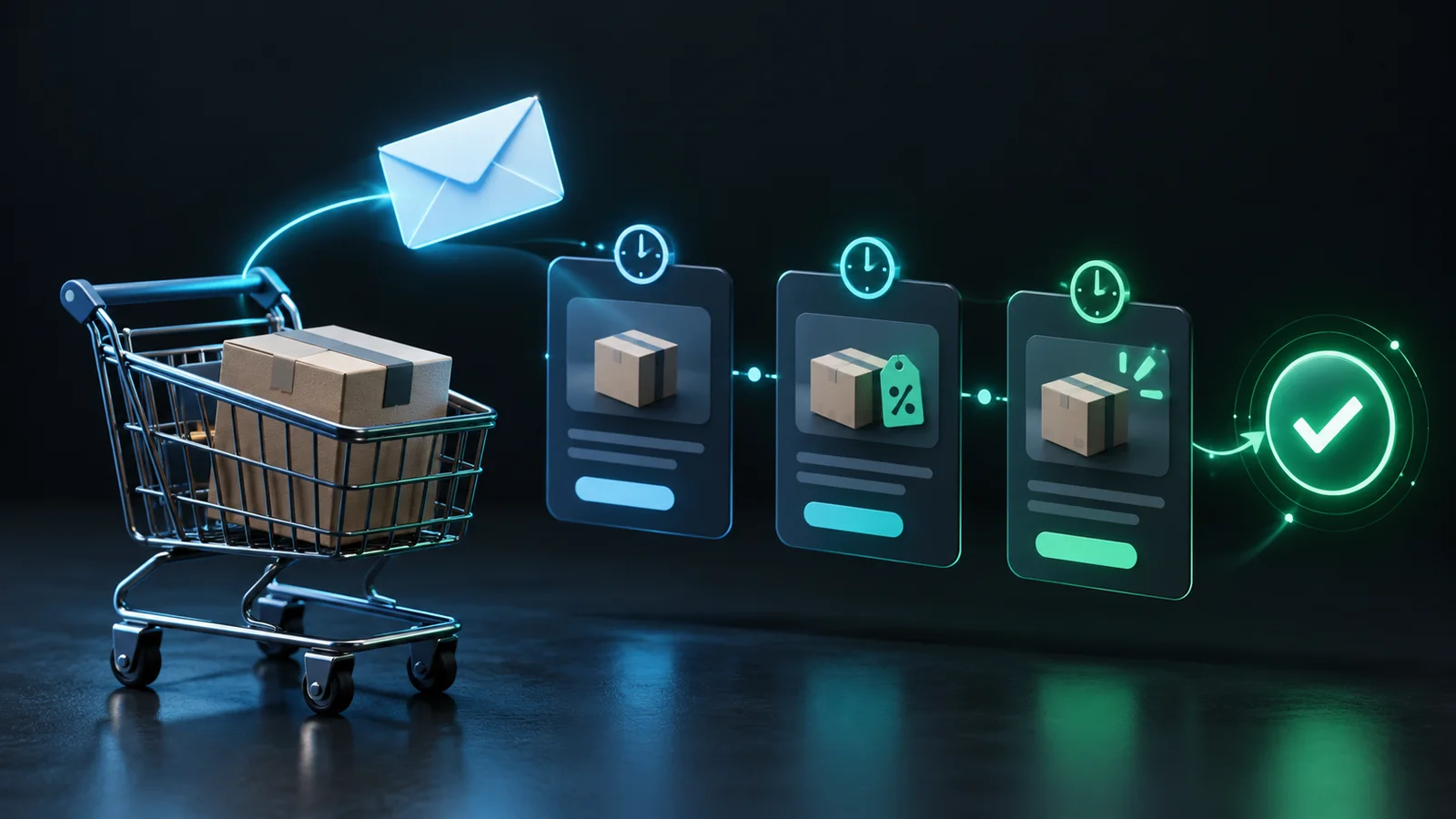
A useful Klaviyo abandoned cart flow for Shopify reconnects a shopper with a purchase they were already considering. It should recognize when they buy, send them back to the correct checkout, and answer the question that interrupted their decision. Those fundamentals matter more than an elaborate sequence of discounts.
Most stores call this an abandoned cart flow even when it starts from a checkout event. That distinction affects who enters, which information the message can display, and which exclusions are necessary. Start by naming the exact customer behaviour you want to recover, then build the flow around verified events.
This guide covers a controlled implementation for an existing Shopify and Klaviyo connection. Timing and segmentation examples are design choices to test with your own audience, not universal conversion benchmarks.
Separate cart abandonment from checkout abandonment
A product view, an addition to cart, and a started checkout describe different levels of intent. Combining them without a clear plan can send overlapping messages or display information that the triggering event does not contain.
Klaviyo's abandoned cart setup guide commonly uses Started Checkout for checkout recovery. Inspect the active Shopify integration and confirm the exact metric receiving events in your account. Do not select a similarly named metric solely because an older tutorial uses it.
If you also run an Added to Cart flow, define how it hands off to checkout recovery. A shopper who progresses to checkout should not continue receiving a weaker cart reminder that competes with the checkout sequence. Keep browse abandonment behind both higher-intent journeys.
Verify events before designing the emails
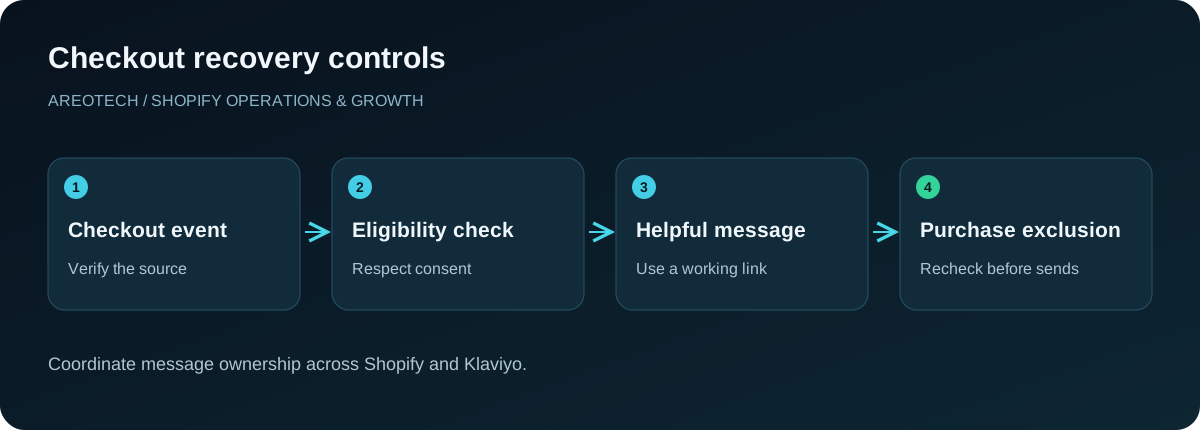
Use a controlled test profile and a real storefront journey. Add a product, proceed far enough through checkout for the integration to identify the test shopper, and inspect the resulting event in Klaviyo. Record its timestamp and the fields available for personalization.
Repeat with a completed test purchase using your approved store testing process. Confirm that a purchase event reaches the same expected profile and that its timing makes sense relative to checkout activity. A flow cannot reliably exclude purchasers if the purchase data is missing or delayed unexpectedly.
Check for duplicate integrations or custom events left over from an earlier setup. If two sources emit similar metrics, identify which source the new flow owns. Keep a simple event map showing the storefront action, integration, metric, and flow that consumes it.
Add the purchase exclusion at the right level
Configure the flow so people who have placed an order since entering no longer qualify for recovery messages. The commonly documented condition is Placed Order zero times since starting this flow. Verify the metric source matches the actual purchase events arriving from Shopify.
Read Klaviyo's flow trigger and filter guidance before choosing between trigger and profile filters. Trigger filters inspect properties of the starting event; profile filters address the person's ongoing eligibility and are checked again before messages. A purchase exclusion must keep protecting later sends.
Also decide how frequently a shopper may re-enter. Someone repeatedly adjusting a cart should not receive several simultaneous versions of the same sequence. Document the intended behaviour and test it with a second qualifying checkout, rather than assuming the template handles every repeat visit.
Coordinate Shopify and Klaviyo recovery ownership
List every system that can contact someone after checkout abandonment. Include Shopify automations, Klaviyo email and SMS, another email platform, and any cart-recovery app. Assign a single owner for each intended message and channel.
During migration, prepare and test the new flow before retiring the corresponding old automation. Decide how to handle people already waiting in either system. Simply turning on a replacement can create duplicate messages during the transition even when the long-term architecture is sound.
Check welcome messages and promotional campaigns too. They can overlap with checkout recovery without sharing its trigger. Our Shopify email marketing app guide explains why a clear messaging responsibility matters more than collecting additional automation features.
Start with a small, purposeful sequence
Build an initial version around two jobs: remind the shopper where they left off, then answer a likely purchase concern. Add another message only if it serves a different purpose and the team can explain why it belongs.
For the first message, use the saved checkout and a short offer of help. The second might explain sizing, compatibility, delivery expectations, or the return process. Select the topic from support conversations and product questions rather than copying generic urgency language.
Choose delays as explicit hypotheses. Consider how long purchases normally take, when staff can answer replies, and whether the product is a quick replenishment or a considered purchase. Review actual results before shortening every delay in pursuit of more messages.
Treat eligibility and frequency as separate controls
A checkout event does not by itself settle whether a person is eligible for a particular marketing channel. Use the platform's consent and suppression information, your approved messaging policy, and requirements applicable to the markets you serve. Do not bypass a suppression because the cart appears valuable.
Klaviyo's Smart Sending documentation explains that frequency controls operate separately by channel and skipped messages are not automatically rescheduled. Review the setting on each flow message and inspect skip reasons when diagnosing low send volume.
Avoid switching off frequency controls merely to increase the sent count. First review the shopper's combined communication timeline. A recovery email, welcome offer, SMS, and sale campaign arriving together may all be individually valid yet create a poor overall experience.
Build dynamic content from actual event data
Start with the relevant integration template, then preview it against several real test events. Confirm that product names, variants, quantities, images, prices, and the checkout destination render as intended. A design preview containing sample products is not sufficient evidence.
Test a single product, several variants, a long product name, and a missing optional field. Make sure the layout remains readable on a narrow screen and that an unavailable image does not remove the shopper's ability to understand the message.
Use a clear primary action such as returning to checkout. Additional navigation can be useful, but avoid turning a focused recovery message into a complete catalogue. Test the actual recovery link in a fresh session and confirm the expected cart or checkout context survives.
Handle changed availability honestly
The cart state at abandonment is historical. Inventory, prices, promotions, and delivery options can change before a customer opens the email. Do not promise that stock is reserved unless your store genuinely reserves it for that shopper.
Review how your chosen template and integration handle unavailable products and expired checkout destinations. Define a fallback that helps the customer find assistance or a relevant alternative without implying that an unavailable purchase remains guaranteed.
For time-sensitive products, consider whether delayed recovery is appropriate at all. A useful exclusion can be better than sending a polished message about something the store can no longer supply. Coordinate these rules with the team managing inventory and promotions.
Test incentives against contribution, not excitement
Begin with a helpful message that does not discount automatically. If you test an incentive later, choose one variable and document the business question. You might compare assistance alone with a modest offer for a clearly defined eligible segment.
Track discount cost, shipping subsidy, cancellations, and returns alongside recovered orders. A sequence that produces more attributed revenue can still reduce contribution if it discounts customers who would have purchased without encouragement.
Keep offer conditions consistent between the email, checkout, and support team's explanation. Verify expiry, eligible products, minimum purchase requirements, and stacking behaviour. Never advertise a countdown that quietly resets every time the same shopper returns.
Use a launch checklist that tests exceptions
Create a short test matrix with expected outcomes. Include abandonment without purchase, purchase before the first message, purchase between messages, an ineligible channel, repeat checkout activity, an empty optional field, and a shopper recently contacted elsewhere.
For each case, inspect the event timeline and recipient activity. Confirm whether the person entered, waited, received, or skipped a message for the intended reason. Keep screenshots or notes sufficient for another team member to reproduce the test.
Launch to a controlled audience or use review mode where appropriate to your configuration. Assign someone to inspect early recipient activity and customer replies. A working automation still needs an owner who can pause it if the first live outcomes reveal a missed assumption.
Diagnose problems in event order
If nobody enters, check the trigger metric and recent events first. If people enter but do not receive messages, inspect filters, channel eligibility, delays, message status, and frequency skips. If messages send after purchase, check purchase synchronization and the ongoing purchase exclusion.
If the wrong products appear, inspect the specific event used for the preview and send. If checkout links fail, reproduce the problem from the delivered email rather than only from the template editor. This sequence isolates the broken stage before you rewrite content unnecessarily.
Remember that recovery cannot fix every storefront barrier. Unexpected shipping charges or confusing payment choices require changes at checkout. Use the checkout abandonment guide to investigate those causes alongside email performance.
Measure learning as well as recovered orders
Review eligible checkouts, entrants, message recipients, clicks, completed orders, unsubscribes, and support replies. Separate genuine delivery or configuration problems from people deliberately choosing not to buy. Lower volume can be correct when exclusions are doing their job.
Treat platform-attributed revenue as a reporting view, not proof that every attributed order was caused by the flow. Where volume and tooling allow, use a thoughtfully designed comparison group to understand incremental benefit. Keep attribution settings stable while comparing periods.
Schedule a review after catalogue changes, integration updates, and major promotions. If you need help connecting the flow to the wider customer journey, AreoTech's Shopify automation service can implement the event mapping, message ownership, and monitoring process together.
Give support a useful handover
Before launch, share the actual emails with the people answering customer replies. Explain how they can find the original checkout, identify the offer a shopper received, and report a broken link. Include a named owner and a simple pause procedure for urgent problems. Review the first questions customers send back: repeated concerns about delivery, fit, or payment may reveal a better second message than another discount. Feed that evidence into the next revision rather than treating replies as an unrelated support queue.
Frequently asked questions
Why does a buyer still receive a recovery email?
Check that purchase events reach the correct profile and that the flow has an ongoing purchase exclusion. Also inspect other recovery systems; the unwanted message may come from a different automation.
Should I use the same message for every abandoned checkout?
A simple shared version is a sensible starting point. Split only when a real difference changes the help needed, such as product guidance or language, and when you can maintain both branches.
How often should the flow be reviewed?
Review it regularly with the owner and after meaningful store changes. Recheck events, links, offers, stock handling, and customer complaints instead of judging the flow only by its revenue dashboard.