
The best Shopify SEO apps automate a clearly defined task without duplicating theme output or replacing an evidence-based SEO strategy. After comparing 11 tools, this guide shows which options are strongest for technical audits, metadata, structured data, image optimization, redirects, indexing, internal links, and performance—and when a Shopify store may not need another app.
That distinction is especially important on Shopify. WordPress gives site owners broad control over plugins, server configuration, databases, URL rules, and rendering. Shopify is a hosted commerce platform with reliable infrastructure, opinionated URL structures, theme-based rendering, platform-generated files, and app extensions. A WordPress-style instinct to install one plugin for every SEO concern often creates duplicate output and unnecessary storefront code on Shopify.
Many merchants encounter real limitations. They cannot efficiently rewrite metadata across 20,000 products, their theme emits incomplete schema, a migration produces thousands of 404s, product imagery is unnecessarily heavy, or no one can see which collection pages are orphaned. Those are valid reasons to evaluate Shopify SEO tools.
Installing random apps is not. Two apps may both write Product JSON-LD, canonical tags, alt text, redirects, or lazy-loading logic. A theme can then contain competing sources of truth, invalid structured data, visual regressions, and scripts that work against Core Web Vitals. The store appears more “optimized” in admin while the rendered storefront becomes harder to crawl, test, and maintain.
This guide compares 11 apps against the SEO task they solve, their price, technical footprint, limitations, and the store maturity required to use them well. We reviewed official Shopify App Store listings, plan structures, compatibility, feature depth, merchant feedback, support, and long-term maintainability. Prices and ratings were checked on July 17, 2026 and can change.
The short answer: Most Shopify stores need no more than one broad SEO app, and many need none. Start with Google Search Console, a crawl, page templates, content quality, and performance data. Add an app only after you can name the gap, the owner, the expected result, and what existing output it will replace.
What Shopify Already Does for SEO
Shopify's official SEO overview confirms that the platform handles several fundamentals automatically. Understanding that baseline prevents merchants from paying twice for native capabilities.
Automatic sitemap.xml
Shopify creates a root sitemap.xml and updates it as eligible products, collections, pages, blog posts, and international URLs change. You should still verify the domain and submit the sitemap in Google Search Console, but a typical store does not need an app to generate another one.
Default robots.txt with controlled customization
Every Shopify store receives a platform-managed robots.txt. Shopify blocks areas such as checkout, cart, admin, search results, and some filtered collection combinations to help crawlers focus on useful content. Advanced teams can customize robots.txt.liquid, but Shopify warns that incorrect changes can remove valuable pages from crawling. Use the official robots.txt guidance and preserve Shopify's default rules where possible.
Canonical URLs
Supported themes output canonical tags to identify the preferred URL when similar content is accessible through multiple paths. This is useful, but not a complete duplicate-content strategy. Canonicals can be overwritten by themes or apps, and they do not solve thin variants, weak collections, copied manufacturer descriptions, or every faceted-navigation issue.
Mobile-responsive themes, SSL, and managed hosting
Shopify provides hosted infrastructure, a CDN, default SSL, and theme requirements designed for modern storefronts. Those foundations reduce operational work compared with a self-hosted platform. They do not guarantee strong Core Web Vitals. A large hero image, excessive JavaScript, third-party widgets, web fonts, animations, and slow app code can still make a hosted store perform poorly.
Editable metadata and image alt text
Products, collections, pages, and blog posts include fields for search titles, meta descriptions, URL handles, and image alt text. Shopify also provides native URL redirects when handles change. For a 50-product store, those controls may be entirely adequate. The gap appears when teams need templates, bulk rules, governance, auditing, or workflows across a large catalog.
Structured URLs and international SEO
Shopify uses standard content folders such as /products/, /collections/, and /blogs/. You cannot redesign the entire URL system as freely as on WordPress. Shopify Markets can also generate localized URLs, hreflang relationships, canonicals, and international sitemap entries when configured correctly. Shopify's international SEO documentation is the first reference for a multi-market store.
Where Shopify's native SEO capabilities end
Shopify provides a sound foundation, not a complete growth program. It does not decide search intent, create differentiated product expertise, plan collection architecture, earn authority, resolve every JavaScript bottleneck, or design internal links. Native controls are also limited for advanced bulk editing, recurring audits, schema customization, real-time 404 monitoring, and programmatic workflows.
That boundary defines the role of an app: automation and implementation support, not rankings in a box.

How We Selected These Shopify SEO Apps
We did not rank apps by star average alone. Reviews matter, but a popular all-in-one tool can still be inappropriate for a complex theme, while a focused app with a smaller user base can solve one operational problem cleanly.
- SEO effectiveness: Does the app change something search engines or shoppers can meaningfully use, or does it mainly produce an attractive admin score?
- Technical quality: We considered ownership of rendered HTML, compatibility with themes, cleanup risk, validation, and whether the app can create conflicting output.
- Performance impact: We favored admin-side or server-side automation and scrutinized storefront scripts, lazy loading, minification, and visual changes.
- Schema support: Structured data tools were judged on coverage, review integrations, Merchant Center needs, monitoring, and duplicate-removal support.
- Image optimization: Useful tools must balance file savings, visual quality, backups, filename and alt-text controls, and Shopify's existing image CDN.
- Ease of use: A merchant should understand what will change before applying a bulk action.
- Merchant reviews and support: We looked at current sentiment, review depth, recurring complaints, and how vendors respond to technical problems.
- Pricing: Entry price, catalog limits, AI credits, image quotas, annual commitments, and scale-up cost all affect long-term value.
- Compatibility and maintenance: Built for Shopify status, modern theme integration, permissions, uninstall behavior, and release history influence risk.
- Business value: The app must save material time, reduce errors, improve discoverability, or support a measurable SEO workflow.
Quick Comparison: Best Shopify SEO Apps in 2026
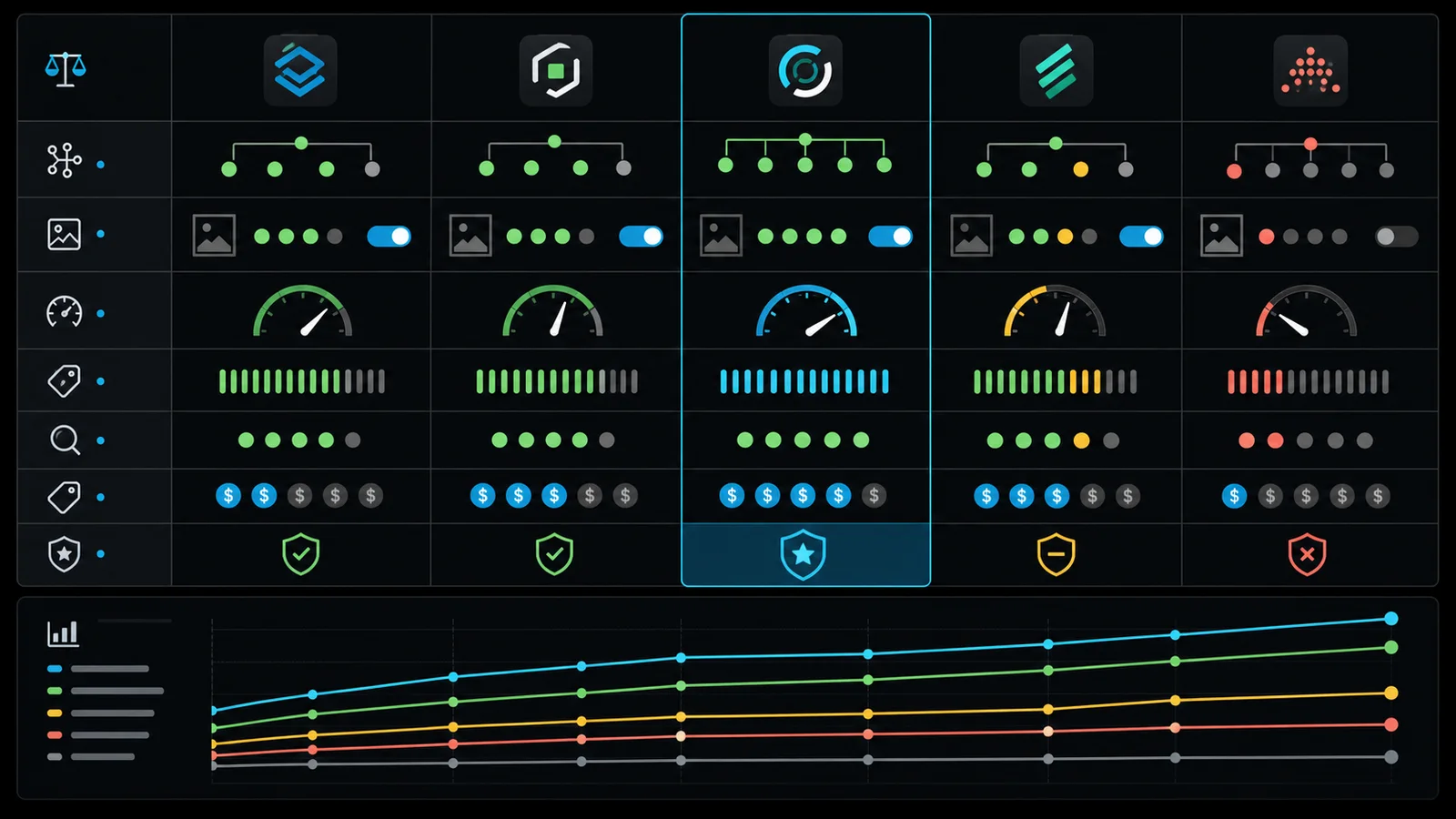
| App | Best for | Starting price | Free plan | Rating* | Technical difficulty | Ideal store size |
|---|---|---|---|---|---|---|
| Tiny SEO Speed Image Optimizer | Image, metadata, and technical automation | Free to install; paid from $14/mo | Limited allowance | 5.0 | Medium | Startup to enterprise |
| Sherpas: Smart SEO | Best balanced all-in-one | Free; Pro $14.99/mo | Yes | 4.9 | Easy | Startup to mid-market |
| Avada AI SEO Image Optimizer | Audits, AI, and bulk optimization | Free; Pro $34.95/mo | Yes | 4.9 | Medium | Startup to enterprise |
| Yoast SEO | Guided on-page and readability workflow | $19/mo | No | 4.6 | Easy | Content-led small to mid-market |
| Ilana's JSON-LD for SEO | Premium schema monitoring | $399/year | No | 4.9 | Medium | Growing to enterprise |
| Schema Plus for SEO | Flexible monthly schema coverage | From $10.99/mo | No | 5.0 | Medium | Startup to enterprise |
| Plug in SEO | Guided recurring audits | From $29.99/mo | No | 4.6 | Easy | Small to mid-market |
| Redirect Pro - 404 SEO | Redirect monitoring and migrations | Free; paid from $2.99/mo | Yes | 4.7 | Medium | Growing to enterprise |
| Link Whisper | Internal-link suggestions | $7/mo | No | 4.3 | Medium | Content-heavy stores |
| Crush: Speed & Image Optimizer | Focused image compression and renaming | Free; paid from $4.99/mo | Yes | 4.8 | Easy | Startup to mid-market |
| SearchPie: SEO, Speed & Schema | Broad technical and indexing toolkit | Free; Premium $39/mo | Yes | 4.9 | Medium | Startup to enterprise |
*Ratings are snapshots from official Shopify App Store listings checked July 17, 2026. Pricing, ratings, quotas, and features can change. “Free to install” may include usage charges.
Best Shopify SEO Apps for 2026

App 01
Tiny SEO Speed Image Optimizer: Best for broad image and technical SEO automation
Best for: Stores that want image processing, metadata, audits, redirects, and technical controls in one governed toolkit
Overview: Tiny SEO Speed Image Optimizer combines image compression with metadata, alt text, JSON-LD, broken-link tools, redirects, page-speed features, and newer AI-search files. It carries Built for Shopify status and the largest review volume among the highly rated tools in this comparison.
Best for: Merchants with image-heavy or fast-changing catalogs that want one primary automation layer rather than separate image, metadata, and audit apps.
Key features: Automated image optimization, backups, alt text and filename templates, AI metadata, JSON-LD, broken-link checks, redirects, minification, sitemap and indexing tools, Google Search Console insights on higher plans, and configurable llms.txt or agents.md files.
Pros: The feature-to-price ratio is strong, recurring image workflows can save real catalog time, and higher plans cover useful technical monitoring. Its Built for Shopify designation is a positive integration signal.
Cons: The breadth creates overlap risk. Enabling schema, redirects, speed logic, and AI metadata without documenting ownership can conflict with the theme or another app. AI-search file generation should not be mistaken for proven ranking impact.
Pricing: Free to install with 50 image optimizations per month and usage charges beyond the allowance. Paid plans were approximately $14, $23, and $49 per month with higher image quotas and technical features.
Performance considerations: Image compression can reduce transfer weight, but script deferral and minification need staging tests. Back up the theme, measure real-user Core Web Vitals, and verify product galleries, predictive search, cart, and third-party widgets after changes.
Ideal business size: Startup through enterprise, provided one person owns configuration and release QA.
Real-world use case: A home-furnishings store adding hundreds of supplier images each month could automatically compress originals, apply controlled alt-text templates, surface missing metadata, and monitor broken product links without processing every record manually.
Limitations: It cannot correct poor keyword targeting, thin templates, inaccurate content, weak authority, or deep theme architecture. Shopify may already transform and serve responsive images, so compression gains vary.
When not to use it: Do not choose Tiny if another app already owns schema, images, metadata, redirects, and speed. A focused tool is safer when only one gap exists.
Expert recommendation: Start with audit-only visibility and image backups. Enable one automation at a time, record the HTML or asset change, and compare before-and-after field data rather than trusting an internal score.

App 02
Sherpas: Smart SEO: Best balanced all-in-one Shopify SEO app
Best for: Merchants that want guided audits and practical automation without enterprise complexity
Overview: Sherpas: Smart SEO covers metadata, alt tags, images, page speed, JSON-LD, broken links, sitemaps, noindex controls, audits, and AI-assisted bulk work. Its free plan makes it a sensible diagnostic starting point.
Best for: Small and growing teams that want a clear primary SEO workspace and responsive implementation support.
Key features: Meta and alt optimization, 20-page free audits, limited image processing and AI generations, sitemap and noindex controls, JSON-LD on Pro, bulk workflows, broken-link automation, image filenames, multilingual support, and backlink reporting on higher plans.
Pros: The plans progress logically, the interface is approachable, and recent merchant feedback consistently highlights support. It offers enough depth for a growing catalog without forcing an expensive first commitment.
Cons: Image, AI, and audit quotas vary by plan. Features such as microdata removal and page-speed changes modify important technical output and should not be enabled casually.
Pricing: Free. Pro was $14.99 per month, Business $24.99, and Premium $49.99, each with a seven-day trial and increasing limits.
Performance considerations: Use its speed features only after recording a Lighthouse and real-user baseline. Removing microdata can be correct when replacing it with JSON-LD, but only after a rendered-page schema audit.
Ideal business size: Startup to mid-market; Premium can support larger catalogs with a relatively standard architecture.
Real-world use case: A 1,500-SKU apparel merchant could find missing titles and alt text, prioritize commercially important collections, apply reviewed templates in batches, and add one consistent structured-data owner.
Limitations: Audit scores are prioritization aids, not Google's ranking system. The app does not perform keyword research, editorial judgment, or template engineering for you.
When not to use it: Skip it when a mature internal SEO platform or agency workflow already controls metadata, schema, crawls, and image processing through APIs.
Expert recommendation: Smart SEO is the most balanced first app in this list. Use the free tier to validate the workflow, then upgrade only for a specific bulk or technical requirement.
App 03
Avada AI SEO Image Optimizer: Best for broad audits and AI-assisted bulk work
Best for: Catalog teams that need recurring checks, image operations, and controlled AI drafting
Overview: Avada AI SEO Image Optimizer is a wide SEO suite spanning audits, content checks, image optimization, metadata, sitemaps, redirects, structured data, indexing, and Core Web Vitals tools.
Best for: Merchants that value a broad checklist and want AI to accelerate drafts across a large catalog while retaining human review.
Key features: Image compression, resizing and alt text, SEO audit agent, on-page checklist, metadata generation, broken links, redirects, sitemap tools, structured data, Search Console integration, and theme-level speed options.
Pros: It has deep feature coverage, substantial merchant adoption, Built for Shopify status, and a useful free evaluation tier. It can consolidate several narrow tools.
Cons: Broad permissions and automated theme changes increase the need for QA. Merchant feedback includes occasional concerns about image behavior, speed features, injected snippets, and cleanup after uninstalling.
Pricing: Free with limited images, audits, AI credits, and schema. Pro was $34.95 per month, with an Enterprise tier around $99 per month.
Performance considerations: Do not switch on every speed feature at once. Lazy loading, minification, and script changes can interact with theme-native optimization. Test on a duplicate theme and retain recoverable image backups.
Ideal business size: Startup through enterprise, especially catalog teams with a repeatable review and release process.
Real-world use case: A multi-category retailer could audit 10,000 pages, group issues by template and revenue importance, generate metadata drafts in controlled batches, and send only exceptions to editors.
Limitations: One-click fixes cannot understand merchandising nuance, regulated claims, duplicate intent, or why Google chooses a different title. AI output is a starting point.
When not to use it: Avoid Avada when a lighter app already covers the exact gap or when the team cannot test theme and image changes before production.
Expert recommendation: Use Avada as an operations console, not an autopilot. Lock templates, sampling rules, approvals, rollback, and a quarterly output audit before enabling bulk automation.
Consultant's note: all-in-one does not mean enable everything
Tiny, Smart SEO, and Avada overlap heavily. Install one, not all three. The right choice depends on the team's primary workload: Tiny for image-led technical automation, Smart SEO for a balanced and approachable workflow, or Avada for broad audits and controlled AI operations.
Running multiple free plans is not free. It creates conflicting scripts, duplicate reports, extra permissions, unclear ownership, and uninstall cleanup. Select one source of truth and leave Shopify's native features alone where they already work.

App 04
Yoast SEO: Best for guided content and readability optimization
Best for: Content-led merchants that want page-level guidance and a familiar editorial workflow
Overview: Yoast SEO - Store optimization brings the well-known focus-keyphrase, SEO, readability, metadata, social appearance, structured-data, and bulk-editing workflow to Shopify.
Best for: Editorial teams publishing substantial product, collection, and blog content that benefit from consistent page-level checks.
Key features: SEO and readability analysis, AI-assisted titles and descriptions, social previews, structured data, integrations with review and translation apps, bulk import/export, and technical output including llms.txt.
Pros: Guidance is clear, educational, and useful for establishing an editorial standard. The fixed price is predictable, and integrations cover common review platforms.
Cons: A green score does not prove search intent, originality, expertise, or ranking potential. Yoast deliberately takes ownership of title, meta, canonical, social, and schema output in the theme, so installation and removal deserve technical review.
Pricing: $19 per month or $190 per year with a 14-day trial.
Performance considerations: The core concern is not only load speed; it is output ownership. Compare source HTML before and after installation and confirm there is exactly one valid title, canonical, meta description, and schema graph.
Ideal business size: Small to mid-market content-led stores. Larger stores may use it when editorial workflows matter more than bespoke automation.
Real-world use case: A specialist outdoor retailer could give writers a consistent checklist for buying guides, collection introductions, and product education while exporting metadata for editorial review.
Limitations: Keyword repetition and readability formulas cannot judge commercial intent, subject expertise, product accuracy, or cannibalization across thousands of pages.
When not to use it: Skip Yoast when the theme and internal tooling already output high-quality metadata and schema, or when the team will chase scores instead of customer questions.
Expert recommendation: Treat the analysis as a pre-publication checklist. Choose the query and page purpose before opening Yoast; never let the scoring system choose the strategy.

App 05
Ilana's JSON-LD for SEO: Best premium schema monitoring option
Best for: Merchants that need durable structured data, Merchant Center coverage, and hands-on monitoring
Overview: Ilana's JSON-LD for SEO is a focused structured-data product with an annual plan, initial audit, ongoing monitoring, Merchant Center fields, broad review integration, and support for specialized commerce states.
Best for: Growing and enterprise merchants whose rich-result eligibility, product feeds, international stores, subscriptions, preorders, or review data justify specialist schema ownership.
Key features: Product, review, organization, article, breadcrumb, FAQ, recipe and video schema; Merchant Center compatibility; Markets support; preorder, condition, subscription and quantity fields; audit, monitoring, training, and support.
Pros: The app is focused rather than overloaded with unrelated SEO features. Monitoring and support matter because schema requirements, themes, review apps, and catalog data change over time.
Cons: $399 per year is expensive for a small store. Like every schema tool, it can overlap with theme or app output. Rich-result eligibility never guarantees that Google will display a rich result.
Pricing: $399 per year with a seven-day trial.
Performance considerations: JSON-LD itself is lightweight. The material risk is duplicate or inconsistent entities, prices, availability, reviews, and merchant policies rather than page speed.
Ideal business size: Growing, mid-market, and enterprise stores with meaningful organic product visibility.
Real-world use case: A multi-market subscription brand could connect offers, reviews, shipping and return policies, subscription details, and product availability while monitoring changes after theme releases.
Limitations: Schema cannot compensate for missing page content, inaccurate catalog data, policy violations, or pages that do not meet Google's eligibility rules.
When not to use it: Do not pay for a premium schema app when the theme already outputs complete, validated markup and the catalog has simple requirements.
Expert recommendation: Request an audit before installation. Keep a documented schema map by template and validate both Google's Rich Results Test and Schema.org output after every material release.

App 06
Schema Plus for SEO: Best flexible monthly schema app
Best for: Stores that want broad JSON-LD coverage with onboarding support and monthly pricing
Overview: Schema Plus for SEO provides product, review, organization, breadcrumb, blog, article, FAQ, recipe, local business, and other schema types with onboarding and support.
Best for: Merchants that need more schema coverage than their theme provides but prefer a lower monthly starting price to an annual premium commitment.
Key features: Review-app integrations, Product and review schema, breadcrumbs, Organization, BlogPosting, Article, FAQ, Video, Recipe, LocalBusiness, Merchant listings, shipping and return policies, and higher-plan Search Console reporting.
Pros: Pricing scales with product count, support is a prominent part of the offer, and the schema coverage is broad. The entry plan is accessible for testing a small catalog.
Cons: The $10.99 plan covers only a handful of Product and review schemas; larger stores will need Essential or Premium. Schema breadth increases the importance of entity consistency and duplicate cleanup.
Pricing: Lite was $10.99 per month for up to five Product and review schemas, Essential $17.99 for up to 250, and Premium $28.99 for unlimited products and advanced types, with a 14-day trial.
Performance considerations: As with Ilana's app, focus on data accuracy and duplication. Check that review values, offer currency, inventory status, variant URLs, and policy fields match the visible page.
Ideal business size: Startup through enterprise, with the plan selected by catalog and schema requirements.
Real-world use case: A 200-product food brand could use Essential for products, collections, articles, breadcrumbs, organization, and compatible review markup, then validate recipe schema only on genuine recipe pages.
Limitations: No schema app can force review stars, merchant listings, or FAQ treatments to appear. Some search features change or become restricted over time.
When not to use it: Do not run Schema Plus alongside Ilana, Yoast schema, or an all-in-one schema module without explicitly disabling overlapping output.
Expert recommendation: Choose between Schema Plus and Ilana based on catalog complexity, support model, and monitoring needs. The best schema app is the one that leaves one accurate graph, not the one that outputs the most types.
Consultant's note: schema is an entity model, not decoration
Structured data should describe what the customer can see and buy. It must connect the business, website, product, offer, reviews, policies, breadcrumbs, and articles consistently. More markup is not automatically better.
Before installing a schema app, inventory theme JSON-LD, review-app markup, Google & YouTube fields, subscription offers, and custom scripts. After installation, crawl a representative sample of product, collection, article, page, and home templates. If two systems describe the same Product with different availability or ratings, fix ownership immediately.

App 07
Plug in SEO: Best for guided recurring SEO audits
Best for: Merchants that want clear issue reports, keyword tools, and step-by-step remediation
Overview: Plug in SEO is a long-running audit and guidance product with page scanning, keyword research, metadata tools, JSON-LD, one-click redirects, trends, and performance reporting.
Best for: Nontechnical teams that value a recurring diagnostic routine and explanations more than low-cost bulk automation.
Key features: Scheduled audits, page-level issues, AI keyword research, titles and descriptions, structured data, broken-link redirects, keyword analytics, speed reports, and support calls on higher plans.
Pros: It makes SEO work visible and teachable. Page limits and audit frequency are explicit, which helps teams select a plan based on operational need.
Cons: The $29.99 entry price is higher than several broader alternatives, and audit tools can generate busywork when every warning is treated as equally important. It overlaps with standalone crawlers and Search Console.
Pricing: Lite $29.99 per month for up to 200 pages, Standard $49.99 for up to 2,000, and Premium $79.99 for unlimited pages, each with a 14-day trial.
Performance considerations: The auditing layer is less concerning than any activated theme, schema, or redirect changes. Verify what the app writes and remove legacy snippets if you later uninstall it.
Ideal business size: Small to mid-market. Large stores may outgrow the in-app workflow in favor of enterprise crawling and data pipelines.
Real-world use case: A merchant without an SEO manager could receive a monthly issue set, prioritize missing collection metadata and broken internal links, then recheck completed work rather than maintaining spreadsheets.
Limitations: An audit finds symptoms. It does not automatically determine which page should rank, how pages should consolidate, or whether a template needs redesigning.
When not to use it: Skip it if your agency or internal team already runs regular crawls, Search Console analysis, keyword research, and release QA.
Expert recommendation: Score issues by revenue exposure, indexability, template scale, and implementation risk. Ten template defects matter more than 500 individually weak meta descriptions.

App 08
Redirect Pro - 404 SEO: Best for redirect monitoring and migrations
Best for: Stores with catalog churn, platform migrations, campaigns, or pattern-based redirect needs
Overview: Redirect Pro - 404 SEO detects visits to missing URLs, supports manual and CSV redirects, and adds pattern-based or live redirect rules for high-volume cleanup.
Best for: Migrated stores, fast-changing catalogs, discontinued products, and teams that need evidence of which 404s customers and crawlers actually reach.
Key features: Real-time 404 visit tracking, unlimited redirect import, wildcard-style patterns, live redirects for active URLs, analytics, and enterprise-scale match handling.
Pros: It solves a focused problem at a low price. Pattern rules can save substantial migration time, while visit counts help prioritize URLs that matter.
Cons: The current review base is small. Automated patterns can send many URLs to irrelevant destinations if rules are broad. Redirecting every 404 to the homepage is poor SEO and poor customer experience.
Pricing: Free for 10 tracked 404 visits per month; Starter $2.99, Growth $4.99, and Enterprise $10.99 with unlimited tracking and advanced matching.
Performance considerations: Redirect processing is not a typical storefront widget concern, but rule quality affects navigation, crawl efficiency, and latency. Avoid chains and loops.
Ideal business size: Growing to enterprise, or any store completing a migration. Small stable stores can use Shopify's native redirects.
Real-world use case: During a WooCommerce-to-Shopify migration, a merchant could import exact high-value mappings and use patterns for predictable legacy product folders, then monitor unknown 404 demand after launch.
Limitations: The app cannot decide the most relevant destination without a migration map, product knowledge, and traffic or backlink data.
When not to use it: Do not install it to manage five known redirects. Shopify's native URL redirect tools are sufficient.
Expert recommendation: Map one-to-one equivalents first, then closest category or successor pages. Return a genuine 404 or 410 when no relevant replacement exists; do not manufacture soft 404s.

App 09
Link Whisper: Best specialist option for internal-link suggestions
Best for: Content-heavy stores with a large backlog of blogs, guides, collections, and orphaned pages
Overview: Link Whisper surfaces contextual internal-link suggestions, supports keyword-based automatic links, tracks link relationships, and helps update or remove URLs.
Best for: Stores with substantial editorial content where manually reviewing years of articles would consume significant time.
Key features: Suggested links, one-click insertion, automatic keyword linking, internal-link reports, orphan discovery, click tracking, URL updates, and removal tools.
Pros: It targets a frequently neglected SEO lever. Internal links help discovery, hierarchy, relevance, and user journeys when placed intentionally.
Cons: Its Shopify app has only 14 reviews and a mixed history, including earlier reliability and loading complaints. Recent reviews and developer responses indicate improvements, but maturity remains below the larger apps here.
Pricing: $7 per month with a free trial.
Performance considerations: The app's operational interface matters more than storefront weight, but automatic link insertion can create excessive repetition or awkward anchors. Review changes in rendered content.
Ideal business size: Content-heavy small to enterprise stores; value depends more on content volume than revenue.
Real-world use case: A cookware brand with 400 recipes could surface relevant cookware collections, ingredient guides, and cornerstone tutorials, then review suggestions based on context and conversion purpose.
Limitations: Suggestions cannot fully understand editorial nuance, cannibalization, seasonal priorities, or whether a link distracts from conversion.
When not to use it: Avoid it for a small site with 20 pages or when the team expects unattended automatic linking.
Expert recommendation: Trial it on a content subset. Measure suggestion quality, processing speed, links added to priority pages, and crawl depth before rolling out. The small review base warrants extra testing.
Consultant's note: audits, redirects, and links need governance
These tools surface work; they do not set priorities. A good operating model assigns an owner, a review cadence, an acceptance rule, and a rollback method. Otherwise, audits become recurring noise, redirect lists grow without validation, and auto-links turn content into a keyword pattern.
At scale, custom reporting that joins Search Console, analytics, catalog status, backlinks, and crawl data often provides more value than another isolated dashboard.

App 10
Crush: Speed & Image Optimizer: Best focused image SEO app
Best for: Merchants that need compression, backups, filenames, and alt-text workflows without a full SEO suite
Overview: Crush: Speed & Image Optimizer focuses on automatic and manual image compression, image backups, file renaming, and alt-text rules.
Best for: Image-heavy catalogs that need a focused workflow and do not want another schema, redirect, or metadata platform.
Key features: Lossless and lossy compression options, automatic processing for new assets, product and theme-asset coverage on paid plans, SEO filename and alt renaming, manual uploads, and 30-day backups.
Pros: The scope is understandable, paid plans are inexpensive, and the app has a long operating history. Focus reduces overlap with other technical SEO functions.
Cons: The free plan is a one-time 25 MB allowance. Shopify does not expose every storefront image through the same API, so some assets need manual handling. Automated alt text can become templated and unhelpful.
Pricing: Free for 25 MB once. Micro $4.99 per month for 500 MB, Pro $9.99 for 2 GB, and Advanced $19.99 for 5 GB.
Performance considerations: Compressing oversized sources can improve transfer weight, but test visual quality and remember that LCP also depends on dimensions, responsive markup, priority, theme CSS, and rendering. Do not lazy-load the primary above-the-fold image indiscriminately.
Ideal business size: Startup to mid-market, particularly visual catalogs.
Real-world use case: A jewelry retailer could compress high-resolution product images, preserve recoverable backups, and apply descriptive filenames while editors write decision-useful alt text for important imagery.
Limitations: It cannot fix layout shifts from missing dimensions, poor image selection, oversized video, or a JavaScript-heavy gallery.
When not to use it: Skip it when the theme's responsive image implementation and media pipeline already deliver appropriately sized, modern formats with strong field data.
Expert recommendation: Benchmark bytes and visual quality on a sample collection. Use automation for compression and conservative filenames; reserve human alt text for images that convey meaningful product information.

App 11
SearchPie: SEO, Speed & Schema: Best broad technical and indexing toolkit
Best for: Merchants that want audits, schema, images, redirects, indexing checks, and Search Console signals in one interface
Overview: SearchPie: SEO, Speed & Schema combines SEO scoring, image tools, metadata, structured data, broken links, redirects, speed options, indexing checks, Search Console, keyword functions, and AI-assisted content.
Best for: Merchants who want a wide operational dashboard and will replace overlapping apps rather than add SearchPie on top.
Key features: Daily health monitoring, image compression, templates for metadata and alt text, AI credits, product and FAQ schema, broken-link detection and fixes, indexing checks, Core Web Vitals, keyword tools, and higher-plan AEO files.
Pros: Built for Shopify status, a strong review base, a useful free tier, broad language support, and integrated Search Console signals make it a credible all-in-one alternative.
Cons: Premium pricing rises quickly, feature claims are extensive, and technical changes can span many theme and data surfaces. Backlink “submission” should never be treated as a replacement for earning editorially valuable links.
Pricing: Free Starter; Premium $39 per month; Enterprise $99 per month, with annual discounts and seven-day trials on paid plans.
Performance considerations: Image compression may help; minification, instant loading, and lazy loading can conflict with theme or app code. Test each feature independently against field data.
Ideal business size: Startup through enterprise, provided the chosen plan replaces several fragmented tools and the team maintains change control.
Real-world use case: A growing international catalog could monitor technical health, batch reviewed metadata, detect broken pages, track index status, and connect Search Console without maintaining several small utilities.
Limitations: No dashboard can guarantee indexing. Google may exclude duplicate, low-value, unavailable, or weakly linked pages even when a tool reports technically valid output.
When not to use it: Avoid SearchPie when you need only image compression or redirects, or when another all-in-one app already owns these functions.
Expert recommendation: Compare SearchPie directly with Smart SEO, Tiny, and Avada. Select one based on actual limits, rendered output, support quality, and three-year cost. Ignore feature-count theater.
Shopify SEO App Comparison Tables
The following shortlists are decision aids, not instructions to combine every app in a row.
Best free Shopify SEO apps
| App | Free value | Best next step |
|---|---|---|
| Smart SEO | Metadata, alt tags, sitemap, limited audits and images | Upgrade when bulk, schema, or larger quotas save measurable time |
| SearchPie | Health checks, templates, basic schema, 50 images and AI credits | Validate the interface before enabling speed features |
| Avada | Limited images, audits, AI, metadata, and structured data | Test backups and output on a duplicate theme |
| Tiny SEO | 50 monthly images with pay-as-you-go overage | Use only if image automation is the primary need |
| Crush | One-time 25 MB product-image allowance | Benchmark compression quality before a monthly plan |
Best premium Shopify SEO apps
| Need | Recommended app | Why |
|---|---|---|
| Balanced all-in-one | Smart SEO | Accessible plans and clear progression |
| Large automation surface | Tiny SEO or Avada | Deep image, audit, metadata, and technical workflows |
| Guided content | Yoast | Page-level SEO and readability process |
| Premium structured data | Ilana's JSON-LD | Audit, monitoring, integrations, and specialized commerce fields |
| Recurring diagnostics | Plug in SEO | Structured audits and guidance for nontechnical teams |
Best AI Shopify SEO apps
| App | Useful AI role | Human responsibility |
|---|---|---|
| Avada | Audit triage and metadata drafts | Intent, claims, differentiation, and approval |
| Smart SEO | Bulk meta, alt, and filename generation | Templates, sampling, brand voice, and rollback |
| Tiny SEO | Catalog content and metadata automation | Data accuracy and commercial prioritization |
| SearchPie | Tags, descriptions, and SEO task support | Fact checking and page-purpose decisions |
| Yoast | Title and description suggestions | Keyword strategy and editorial quality |
Best schema apps for Shopify
| App | Best fit | Primary caution |
|---|---|---|
| Ilana's JSON-LD | Complex stores that value monitoring and support | Annual price and duplicate output |
| Schema Plus | Flexible catalog tiers and broad schema types | Low plan product limit |
| Smart SEO | Stores that want schema inside one primary suite | Do not combine with another schema owner |
| Yoast | Content workflow plus automatic structured data | Theme output is deliberately replaced |
| SearchPie | All-in-one schema plus technical operations | Scope and overlap need governance |
Best image SEO apps for Shopify
| App | Best fit | Key limitation |
|---|---|---|
| Crush | Focused compression and renaming | Does not solve full Core Web Vitals |
| Tiny SEO | Image automation plus broader SEO tools | Can overlap with other suites |
| Avada | Image work within a large audit platform | Theme and image changes require QA |
| Smart SEO | Moderate catalog and simple bulk workflow | Quotas depend on plan |
Best technical SEO apps for Shopify
| Technical task | Recommended solution | Why |
|---|---|---|
| Broken URLs and migration rules | Redirect Pro | Focused monitoring and pattern redirects |
| Recurring broad audit | Plug in SEO | Guided scans and clear remediation workflow |
| Internal link backlog | Link Whisper | Contextual suggestions and link reporting |
| Index and Search Console visibility | SearchPie | Integrated checks and technical dashboard |
| Schema quality | Ilana's JSON-LD or Schema Plus | Specialist coverage and support |
Best Shopify SEO apps for Shopify Plus
| Plus requirement | Recommended approach |
|---|---|
| Large-scale metadata and images | Tiny, Avada, or Smart SEO after an automation proof of concept |
| Complex schema and Merchant Center | Ilana's JSON-LD or custom schema architecture |
| Migration and catalog churn | Redirect Pro plus a governed redirect data model |
| Editorial internal linking | Link Whisper trial or custom opportunity reporting |
| Multi-market and performance | Shopify native Markets plus custom technical SEO and theme engineering |
Common Shopify SEO Mistakes
Installing multiple apps that duplicate functionality
This is the most preventable mistake. Build an ownership table for title tags, meta descriptions, canonicals, robots rules, sitemap, structured data, alt text, filenames, redirects, lazy loading, and minification. Every row should have one owner: Shopify, the theme, one app, or custom code.
Ignoring Core Web Vitals
An SEO score inside an app is not field performance. Review Chrome UX Report or Search Console Core Web Vitals data, then diagnose LCP, INP, and CLS by template and device. A Shopify performance optimization project often begins by removing unused code and simplifying the theme rather than adding a speed app.
Overusing AI-generated metadata
Bulk generation can turn 5,000 empty fields into 5,000 repetitive fields. Search engines may rewrite titles and descriptions, and customers notice inaccurate claims. Use AI to draft from controlled product data, then sample by category, language, and risk.
Broken or irrelevant redirects
Redirect chains waste time and dilute clarity. Redirecting every discontinued product to the homepage is rarely helpful. Map to a direct replacement, a relevant collection, or a genuinely useful alternative. Preserve important query strings only when necessary.
Poor image optimization
Compression is only one part of image SEO. Select useful imagery, set dimensions, use responsive sources, prioritize the LCP image, write meaningful alt text, and avoid loading hidden gallery assets eagerly. Alt text is an accessibility description, not a keyword list.
Duplicate and thin content
Canonical tags do not make weak product pages valuable. Manufacturer copy, near-identical collections, empty tag pages, and minimal location pages still require consolidation, original expertise, or removal from indexable architecture.
Ignoring structured-data accuracy
Schema must match visible price, inventory, ratings, business identity, policies, and content. Validate representative templates after review-app, subscription, theme, Markets, and catalog changes.
Believing indexing can be forced
Sitemap submission and URL inspection help discovery; they do not compel Google to index every URL. Improve uniqueness, internal links, demand alignment, site quality, and crawl paths. “Instant indexing” claims require careful interpretation.
Decision Framework by Business Stage
| Business stage | Recommended SEO stack | Priority |
|---|---|---|
| Startup | Shopify native SEO + Search Console; Smart SEO free if audits help | Technical baseline, collection intent, product quality, and measurement |
| Growing store | One all-in-one app + focused image or redirect tool only when non-overlapping | Bulk governance, content clusters, broken URLs, and performance |
| Large brand | Specialist schema + crawl/reporting pipeline + controlled catalog automation | Templates, entity consistency, internal linking, and release QA |
| International store | Shopify Markets + translation/localization workflow + technical audit | Hreflang, localized intent, canonicals, product availability, and parity |
| Shopify Plus | Native platform features + purpose-built apps + custom SEO engineering | Scale, integrations, performance budgets, and change governance |
| Enterprise merchant | Central data model, custom automation, observability, and limited specialist apps | Reliability, ownership, audit trails, and programmatic opportunity |
Startup: Do not purchase an enterprise SEO stack before you have validated categories, search demand, and product-market fit. Native fields and a free diagnostic plan are enough for most early stores.
Growing store: Catalog growth creates repetitive work. This is the stage where one all-in-one app can pay for itself, provided templates are reviewed and app output replaces manual inconsistency.
Large brand: The risk shifts from missing fields to conflicting systems. Schema, feeds, reviews, subscriptions, international catalogs, and content require an explicit data architecture.
International store: Translation is not localization. Research local demand, localize product language, maintain equivalent content, and use Shopify Markets correctly before adding tools that promise international indexing.
Shopify Plus and enterprise: Buy apps for standardized capabilities; build the commercially distinctive layer. Require staging, monitoring, rollback, access control, and an owner for every automated SEO change.
When Shopify SEO Apps Are Not Enough
Apps are strongest when the problem is standardized and repeated. Custom work becomes more valuable when the problem spans theme rendering, business rules, multiple systems, or high-risk automation.
Technical SEO audits
A consultant-led audit connects crawl data, Search Console, analytics, templates, catalogs, apps, performance, and commercial priorities. It distinguishes a genuine indexation defect from a low-value URL Google reasonably excludes.
Custom schema and structured data
Complex bundles, subscriptions, B2B pricing, local inventory, custom product types, editorial experts, events, or unusual policies may need a coherent graph generated from Shopify data. Custom schema is preferable when an app cannot model the entity accurately or conflicts with other commerce systems.
Theme and Core Web Vitals optimization
Real performance work can require Liquid profiling, section architecture, JavaScript reduction, app removal, image rendering, font strategy, event handling, and design simplification. An app cannot reliably repair every third-party dependency. AreoTech's Shopify development and store maintenance work connects performance decisions to the storefront rather than treating speed as a toggle.
Server-side enhancements and integrations
Shopify controls hosting, but teams can still move suitable work away from the browser, use Shopify Functions, create webhook pipelines, build scheduled jobs, or connect product information systems. The goal is cleaner customer-side execution and more reliable data.
Custom SEO automation
Large catalogs may need rules based on margin, inventory, season, market, taxonomy, search demand, content status, and approvals. A private app can generate suggestions, queue changes, retain versions, and expose exceptions without publishing uncontrolled AI output.
Advanced internal linking and programmatic SEO
Internal-link opportunities can be derived from product relationships, topic clusters, search demand, inventory, and conversion data. Programmatic pages require unique value, sound templates, controlled indexation, and strong source data. Generating thousands of near-duplicate pages is not a strategy.
Migrations and international architecture
A Shopify migration must preserve valuable URLs, content, metadata, structured data, analytics, and internal links while testing redirects and launch conditions. Multi-market work adds domain strategy, localization, inventory, hreflang, feeds, and legal requirements.
AreoTech approaches these projects as connected SEO and engineering problems. A useful first engagement is often a scoped audit that identifies what Shopify already handles, which apps should remain, what the theme should own, and where custom Shopify automation creates better long-term ROI.

Shopify SEO Checklist for 2026
Technical SEO
- Verify the preferred domain, HTTPS, Search Console properties, and analytics.
- Submit Shopify's root sitemap and monitor discovered versus indexed URLs.
- Crawl the live store and inspect indexability, status codes, canonicals, titles, headings, and depth.
- Preserve Shopify's default robots rules unless a documented requirement justifies customization.
- Confirm one owner for canonical tags, metadata, schema, redirects, and speed logic.
- Test mobile rendering and JavaScript-dependent content with URL Inspection.
On-page SEO
- Map one primary intent and customer job to each important page.
- Write titles and descriptions for relevance and clicks, not character-count scores alone.
- Use one descriptive H1 and a logical heading structure.
- Add unique expertise, evidence, comparisons, specifications, and buying guidance.
- Review cannibalization between products, collections, pages, and articles.
Product pages
- Use original descriptions that answer material pre-purchase questions.
- Expose price, availability, variants, shipping, returns, reviews, and product identifiers accurately.
- Add useful related products and contextual links without distracting from purchase.
- Keep unavailable-product strategy consistent: retain, redirect, archive, or remove based on demand and replacement.
Collections
- Align collection names and introductions with how customers search.
- Build clean filters for users while controlling crawlable URL combinations.
- Add enough context to make the collection useful beyond a product grid.
- Link important collections from navigation, content, products, and related categories.
Blogs and content
- Build topic clusters around customer decisions, problems, comparisons, and product use.
- Link guides to relevant collections and products, and link commercial pages back to supporting education.
- Update declining articles instead of publishing near-duplicates.
- Show authorship, editorial accountability, dates, and verifiable expertise where appropriate.
Images
- Compress source assets without visible degradation.
- Render responsive sizes and declare dimensions.
- Prioritize the LCP image and avoid unnecessary eager loading elsewhere.
- Write concise, contextual alt text for meaningful images; use empty alt text for decoration.
- Use descriptive filenames when practical, but do not rename assets solely to stuff keywords.
Schema
- Validate Product and Offer data against the visible page.
- Connect reviews through one supported integration.
- Include Organization, WebSite, BreadcrumbList, Article, and policy data where appropriate.
- Remove duplicate graphs and unsupported claims.
- Revalidate after theme, reviews, subscriptions, Markets, or catalog changes.
Internal links and performance
- Keep priority pages within a sensible click depth.
- Fix orphaned pages and broken internal links.
- Use descriptive anchors that help the reader predict the destination.
- Monitor LCP, INP, and CLS with field data by template and device.
- Remove unused app embeds, stale snippets, duplicate pixels, and unnecessary third-party scripts.
AI search readiness
- Make answers explicit, factual, and supported by visible evidence.
- Keep products, policies, authors, organization details, and structured data consistent.
- Publish original comparisons, definitions, tables, and expert decisions that can be cited precisely.
- Maintain crawl access intentionally and review Shopify's current guidance for AI and crawlers.
- Treat
llms.txtas experimental; prioritize accessible content and reliable entities.
Frequently Asked Questions
What is the best Shopify SEO app in 2026?
Smart SEO is the best balanced choice for most merchants. Tiny is stronger for image-led automation, Yoast for guided content, and Ilana's JSON-LD or Schema Plus for specialist structured data. Choose by gap, not popularity.
Does Shopify need an SEO app?
No. Shopify already creates sitemaps, default robots rules, canonicals, SSL, and editable metadata. An app is justified only when it improves a defined workflow such as bulk optimization, recurring auditing, schema, images, redirects, or internal links.
Can a Shopify SEO app improve Google rankings?
It can remove implementation barriers, but it cannot guarantee rankings. Useful content, search intent, authority, product-market fit, internal links, technical quality, and competition remain decisive.
Which Shopify SEO app is best for beginners?
Smart SEO is a strong first option. Its free tier lets a merchant learn audits, metadata, alt tags, and sitemap workflows before paying. Plug in SEO provides more guided diagnostics at a higher starting price.
What is the best free Shopify SEO app?
Smart SEO offers the most balanced free toolkit. SearchPie, Avada, Tiny, and Crush also provide useful free limits. Do not install all of them; select the interface and output model you can govern.
What is the best schema app for Shopify?
Schema Plus is the flexible monthly choice; Ilana's JSON-LD is the premium monitoring choice. Both require an audit for existing theme and review markup. One accurate schema owner is better than several overlapping apps.
Can I use two Shopify schema apps together?
Usually not. Duplicate Product, Offer, Review, Organization, and Breadcrumb entities can conflict. Disable the schema module in an all-in-one app before enabling a specialist, then validate rendered HTML.
What is the best Shopify image SEO app?
Crush is the best focused image tool, while Tiny is the best broad image-plus-SEO suite. The right choice depends on whether you need compression alone or a larger automation platform.
Do Shopify speed optimization apps work?
Sometimes, within a limited scope. Compression, deferral, and minification can help, but theme architecture and third-party JavaScript often determine real Core Web Vitals. Measure field data before and after each change.
Does Shopify already create a sitemap?
Yes. Shopify creates and updates /sitemap.xml. Submit it to Search Console after domain verification. An extra sitemap app is rarely necessary for a normal Online Store setup.
Does Shopify automatically add canonical tags?
Yes, through supported theme output. Apps and custom code can still duplicate or overwrite canonicals. Inspect the rendered source on representative templates rather than assuming the tag remains correct.
Do I need an app for Shopify redirects?
Not for ordinary redirect management. Shopify includes native redirects and CSV tools. Use Redirect Pro or a similar specialist when you need live 404 monitoring, pattern rules, migration scale, or ongoing catalog churn.
Are AI-generated meta descriptions good for SEO?
They are useful drafts, not final strategy. Review factual claims, intent, duplication, language, brand voice, and whether the description gives a searcher a credible reason to click.
Will llms.txt improve Shopify AI-search visibility?
There is no dependable evidence that it will by itself. Accessible content, consistent entities, source credibility, useful answers, product accuracy, and third-party citations matter more. Treat the file as experimental.
How many Shopify SEO apps should a store have?
Usually zero to two. One broad app may cover standard work; one specialist may address a non-overlapping gap. App count is less important than exclusive ownership of every rendered SEO element.
Should Shopify Plus stores use SEO apps?
Yes, for standardized, well-supported tasks. Plus merchants should prefer custom engineering when requirements involve complex catalog logic, performance, internationalization, faceted navigation, programmatic SEO, or cross-system data.
When should I hire a Shopify SEO developer?
Hire one when the constraint lives in the theme, data model, architecture, performance, or integrations. Examples include duplicate markup, Core Web Vitals, complex schema, migrations, international setups, and controlled catalog automation.
How often should Shopify SEO apps be audited?
Quarterly is a sensible minimum. Audit sooner after a theme launch, app installation or removal, migration, market expansion, or unexplained traffic shift. Check output, scripts, permissions, cost, errors, and business value.
Key Takeaways
- Shopify already handles core foundations. Do not buy an app for a capability the platform provides adequately.
- Smart SEO is the best balanced starting point; Tiny and Avada suit broader automation; Yoast suits guided content.
- Use Ilana's JSON-LD or Schema Plus when structured data is the defined gap, never both by default.
- Use Crush for focused image work, Redirect Pro for migrations and 404 demand, and trial Link Whisper carefully for large content libraries.
- Avoid multiple all-in-one apps, duplicate schema, blind AI publishing, and untested speed switches.
- Measure rendered HTML, Search Console, crawl data, real-user Core Web Vitals, and commercial outcomes rather than internal scores.
- Move to custom development when SEO depends on proprietary data, large-scale governance, theme architecture, integrations, or performance engineering.
Quick Decision Guide
| If you are... | Recommended solution |
|---|---|
| A startup | Shopify native SEO + Search Console; Smart SEO free only if the workflow helps |
| A growing brand | One of Smart SEO, Tiny, Avada, or SearchPie, selected by the primary workload |
| A high-volume store | Specialist schema + controlled catalog automation + technical monitoring |
| An international seller | Shopify Markets + human localization + international technical audit |
| A content-heavy merchant | Yoast for editorial checks or a carefully tested Link Whisper workflow |
| A Shopify Plus brand | Standardized apps for repeatable tasks; custom engineering for architecture and scale |
Conclusion
The best Shopify SEO app is the one that removes a verified constraint without creating another source of truth. Shopify already provides a strong hosted foundation. Your job is to protect that foundation while adding only the automation, monitoring, or specialist output the business genuinely needs.
For most merchants, that means one primary suite at most. It may mean Smart SEO for a balanced workflow, Tiny or Avada for catalog automation, Yoast for content operations, a dedicated schema product for complex structured data, Crush for images, or Redirect Pro during a migration. It can also mean installing nothing and investing instead in better collections, product expertise, internal links, and theme performance.
When the problem extends beyond an app, AreoTech can help with Shopify SEO and product optimization, technical Shopify development, performance and Core Web Vitals improvements, Shopify automation, migration planning, and ongoing maintenance. Review our case studies, read the product listing SEO guide or Shopify maintenance guide, and contact AreoTech for a focused technical audit.